Network
Network Details
You can open the Network Details page by clicking the "Network" in the node attributes section on the Device Tree View page.The Network Details page shows node attributes.
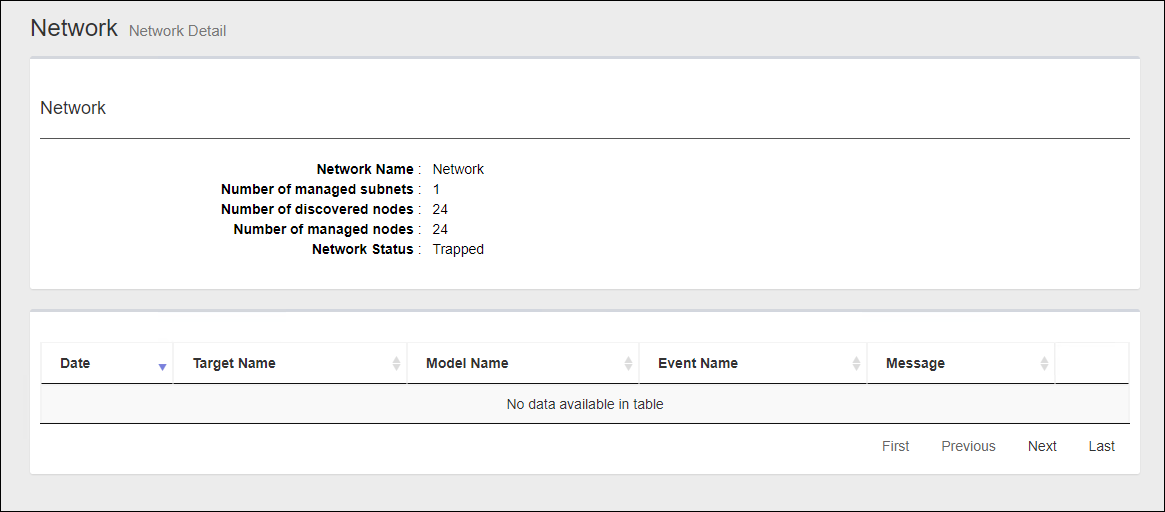
Node Attributes
| Item Name | Contents |
|---|---|
| Subnet Name | "Network" |
| Monitored Subnets | Shows the number of monitored subnets in the network. |
| Number of discovered nodes | Shows the number of devices in the network. |
| Number of managed nodes |
Shows the number of detected devices which are monitored.NoteThe maximum number of devices SNMP Plug-in can monitor is 1000. |
| Status | Shows the status of the network. |
28 Jan 2022 14:18