How to use the setting page
This section describes the basic screen configuration of the setting page and how to operate it.
Navigation menu
Navigation menu is located at the top of the screen.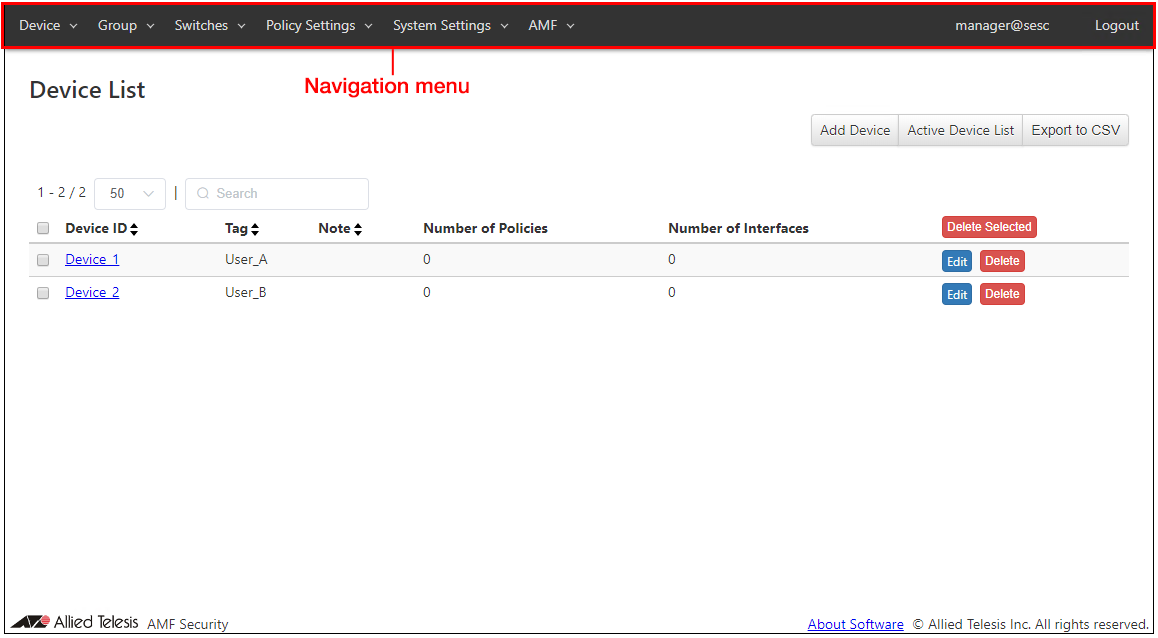
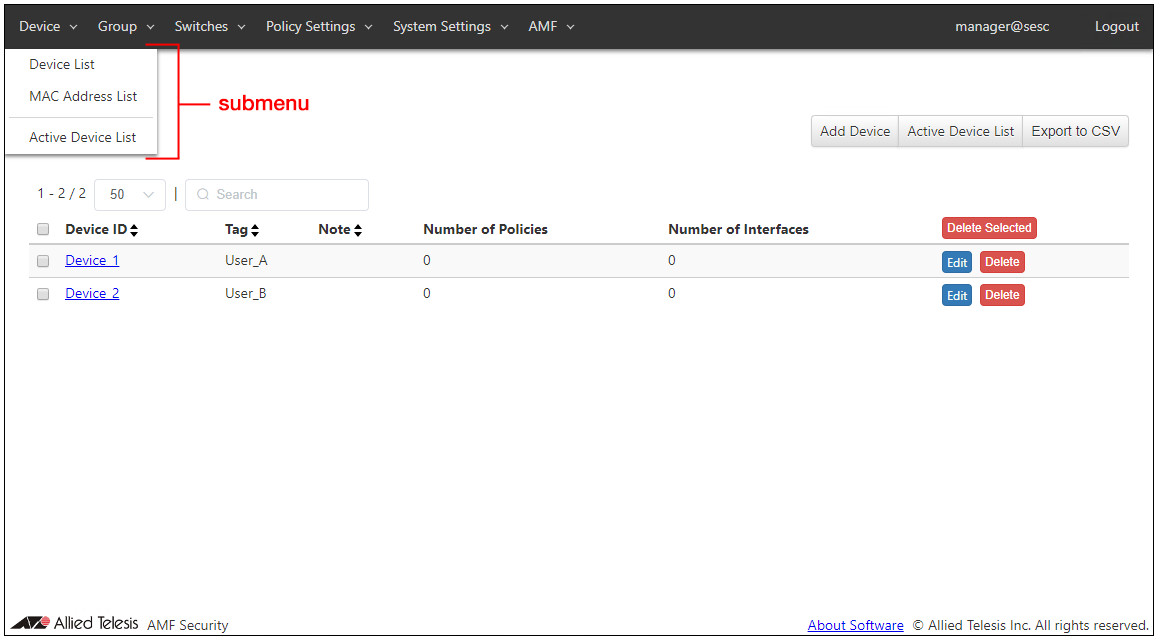
Clicking a menu item opens dropdown submenus. Clicking a submenu item opens the screen corresponding to the item.
Searching and Sorting in Tables
The following pages have controls to search, filter or sort items in tables.- Device > Device List page
- Device > MAC Address List
- Device > Active Device List
- Group > UnAuth Group List
- Group > Tag List
- Switches > OpenFlow Switch List
- Switches > Active OpenFlow Switch List
- Switches > AMF Member List
- Switches > Active AMF Member List
- Policy Settings > Network List
- Policy Settings > Location List
- Policy Settings > Schedule List
- Policy Settings > Action List
- System Settings > Action Log
| Page | Item Name | Search | Filter | Sort | Note |
|---|---|---|---|---|---|
| Device > Device List page | Device ID | × | − | × | |
| Tag | × | − | × | ||
| Note | × | − | × | ||
| Number of Policies | × | − | × | ||
| Number of Interfaces | × | − | × | ||
| Interface: MAC Address* | × | − | × | * This column is not displayed on the screen. | |
| Interface: Name* | × | − | × | * This column is not displayed on the screen. | |
| Interface: Note* | × | − | × | * This column is not displayed on the screen. | |
| Device > MAC Address List | MAC Address | × | − | × | |
| Name | × | − | × | ||
| Device ID | × | − | × | ||
| Note | × | − | × | ||
| Device: Tag* | × | − | × | * This column is not displayed on the screen. | |
| Device: Note* | × | − | × | * This column is not displayed on the screen. | |
| Device > Active Device List | MAC Address | △* | − | × | * Only the strings after "mac=", "ip=" and "vendor=" can be matched. |
| Device ID | △*1 | − | △*2 | *1 "Unregistered" cannot be matched. For devices connected or detected in the UnAuth Group, only strings after "group=" can be matched. *2 Sorted in the order of "Unregistered", "UnAuth Group ID", "Empty" and "Device ID". |
|
| Connected Switch | △*1 | − | △*2 | *1 For OpenFlow Switches, only IPv4 Address after "ip=", Switch Port Number after "port=", OpenFlow Port Number in parenthesis and link status of the ports can be matched. For AMF nodes, only the strings after "id=" and the Port Number in parenthesis after "port=" can be matched. For TQ's AMF Application Proxy, only the strings after "id=", IPv4 Address after "ip=" and the strings after "port=" can be matched. *2 OpenFlow Switches can be only sorted by the string after "ip=" while AMF nodes can be only sorted by the string after "id=". For TQ's AMF Application Proxy, only the strings after "id="and IPv4 Address after "ip=" can be matched. Sorting by the string after "port=" is not supported. |
|
| Connecting Network | △*1 | − | △*2 | *1 Only VLAN ID after "vlan=" and Network ID after "id=" can be matched. "Untagged" and "No Connection" cannot be matched. *2 Sorted in the order of "No Connection", "Empty", "vlan=Untagged" and "vlan=1-4094". Sorting by Network ID is not supported. |
|
| Status | × | × | △* | * Sorted in the order of "Authorized", "Blocked", "Link-Down", "Quarantined", "Authentication Failed", "Detected", "IP-Filter" and "Log-Only". | |
| Group > UnAuth Group List | Group ID | × | − | × | |
| Enabled | × | − | × | ||
| Note | × | − | × | ||
| Number of Policies | × | − | × | ||
| Group > Tag List | Tag | × | − | × | |
| Note | × | − | × | ||
| Number of Policies | × | − | × | ||
| Switches > OpenFlow Switch List | Switch ID | × | − | × | |
| Datapath ID | × | − | × | ||
| Upstream Port | × | − | × | ||
| Account Group ID | × | − | × | ||
| Note | × | − | × | ||
| Switches > Active OpenFlow Switch List | Datapath ID | × | − | × | |
| Switch ID | △* | − | × | * "Unregistered" cannot be matched. | |
| IPv4 Address | × | − | × | ||
| Status | × | × | △* | * Sorted in the order of "Negotiating" and "Ready". | |
| Upstream Port | △* | − | × | * Only Switch Port Number before parenthesis and OpenFlow Port Number in parenthesis can be matched. | |
| Hardware Info | × | − | × | ||
| Switches > AMF Member List | Name | × | − | × | |
| Account Group ID | × | − | × | ||
| Note | × | − | × | ||
| Switches > Active AMF Member List | Name | × | − | × | |
| Registration Status | × | − | × | ||
| Domain Name | × | − | × | ||
| Latest Access | × | − | × | ||
| Policy Settings > Network List | Network ID | × | − | × | |
| VLAN ID | × | − | × | ||
| Note | × | − | × | ||
| Policy Settings > Location List | Location ID | × | − | × | |
| Note | × | − | × | ||
| Number of Switches | × | − | × | ||
| Policy Settings > Schedule List | Schedule ID | × | − | × | |
| Start Date / Time | × | − | × | ||
| End Date / Time | × | − | × | ||
| Note | × | − | × | ||
| Policy Settings > Action List | Action ID | × | − | × | |
| Priority | × | − | × | ||
| Condition | △* | − | × | * Only the strings after "mac=", "ip=", "device-name=", "tag=", "location=", "switch=" and "network=" can be matched. | |
| Action (OpenFlow, TQ/AMF) | △*1 | − | △*2 | *1 Only the strings after "Pass(Permit) ->", "Drop(Block) ->", "Quarantined ->" and "Log-Only ->" can be matched. AMF Action after them cannot be matched. *2 Sorted in the order of "Pass(Permit)", "Drop(Block)", "Quarantined " and "Log-Only". Sort by the AMF Action is not supported. |
|
| Requester | × | − | × | ||
| Reason | × | − | × | ||
| System Settings/Account List | Account Name | − | − | × | |
| Account Group ID | − | − | × | ||
| System Settings > Account Group List | Account Group ID | × | − | × | |
| Note | × | − | × | ||
| System Settings > Action Log | Duration | × | − | − | |
| MAC Address | × | − | − | ||
| Device IPv4 Address | × | − | − | ||
| Device Tag | × | − | − | ||
| Action Originator | × | − | − | ||
| Status | − | × | − |
Number of items displayed on the page
A range of currently displayed items and a total number of items are shown above each table in the form of "RANGE / TOTAL". You can also change the maximum number of items displayed on a page by using the dropdown menu.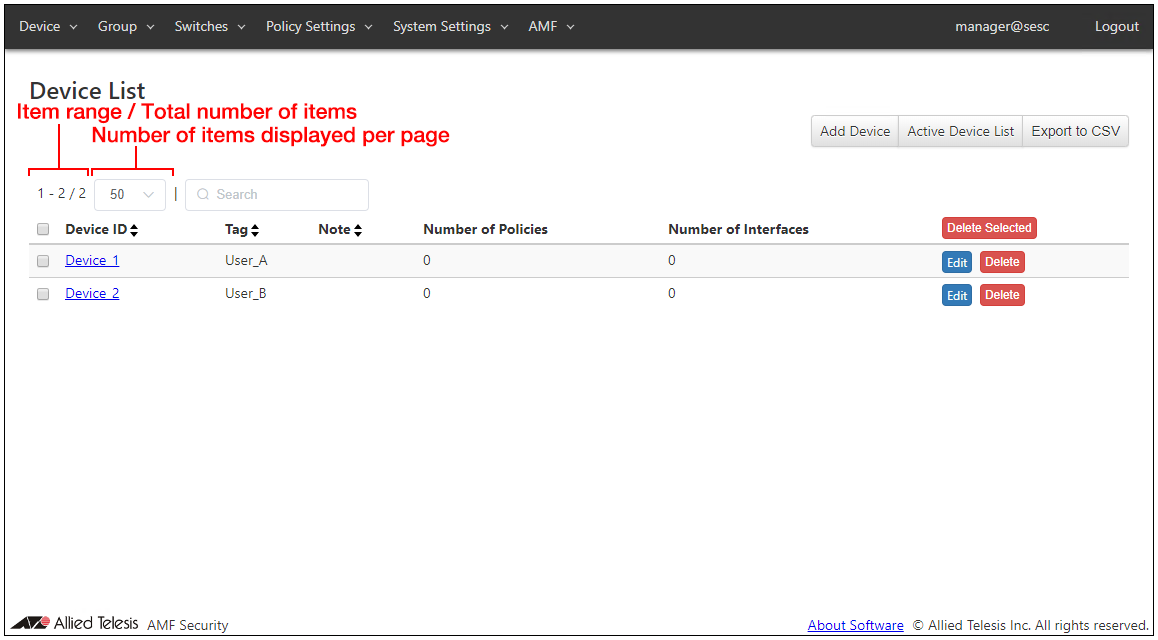
Filter using search form
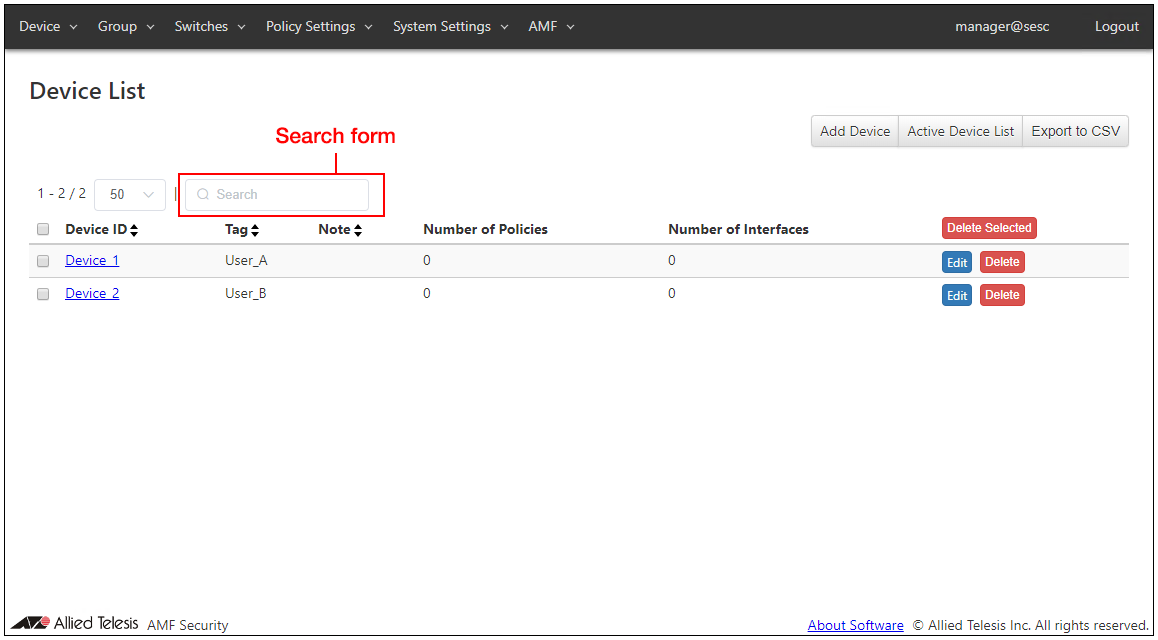
You can filter items to display by entering keywords in the search form.If you enter multiple keywords separated by space, only items matching all the keywords are displayed. (AND search)
When you filter items, matched texts are highlighted in red. Matched texts are highlighted even when they are in the columns which cannot be matched.
Filter using dropdown menu
On the Device > Active Device List page and the Switches > Active OpenFlow Switch List page, you can filter items by the status of Devices or OpenFlow Switches using dropdown menu.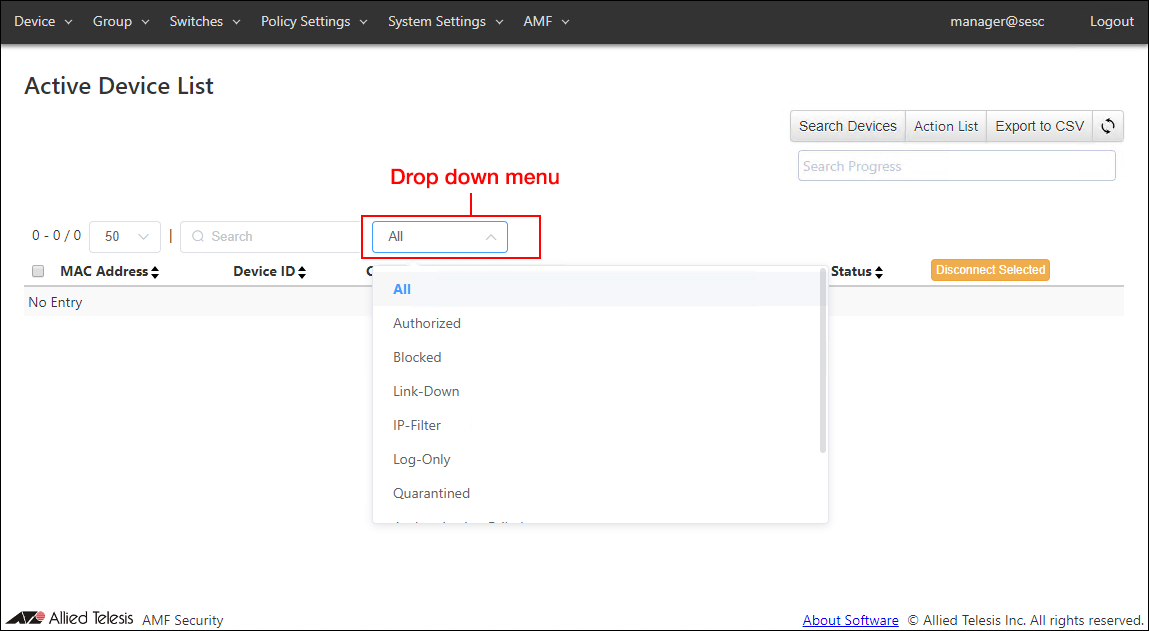
| Option | What is displayed |
|---|---|
| Device > Active Device List | |
| All | All the devices in any of the Authorized, Blocked, Link-Down, IP-Filter, Quarantined, Authentication Failed, Detected or Redirect-URL status. |
| Authorized | Devices matching the security policy for the registered device or the UnAuth Group. |
| Blocked | Devices which were blocked by an instruction of an external system or an operation of an administrator. |
| Link-Down | Devices which are being blocked by AMF Application Proxy's Link-Down action. |
| IP-Filter | Devices which are being blocked by AMF Application Proxy's IP-Filter (Layer 3) action. |
| Log-Only | Devices for which logs were generated without taking any actions. |
| Quarantined | Devices which were moved to quarantine network by an instruction of an external system or an operation of an administrator. |
| Authentication Failed | Devices which failed to authenticate because they were not registered or they didn't match any security policy. |
| Redirect-URL | Device with Redirect-URL action applied in TQ's AMF Application Proxy |
| Quarantined | Blocked | IP-Filter | Authentication Failed | Redirect-URL | Devices which are in any of the Quarantined, Blocked, Link-Down, IP-Filter, Authentication Failed or Redirect-URL status. |
| Detected | Devices which were detected by the UnAuth Group's detection feature. |
| Switches > Active OpenFlow Switch List | |
| All | All OpenFlow Switches in any of the Negotiating or Ready status |
| Negotiating | Switches that are preparing synchronization with AMF Security where they are initializing OpenFlow functionalities, confirming packet control flow, configuring upstream port name and number. Negotiating also means that an upstream port name and the OpenFlow port numbers are inconsistent. |
| Ready | OpenFlow Switches that have completed the initial settings of the OpenFlow function and are ready for device connection. |
Sort
You can sort items by clicking small buttons next to the column headers.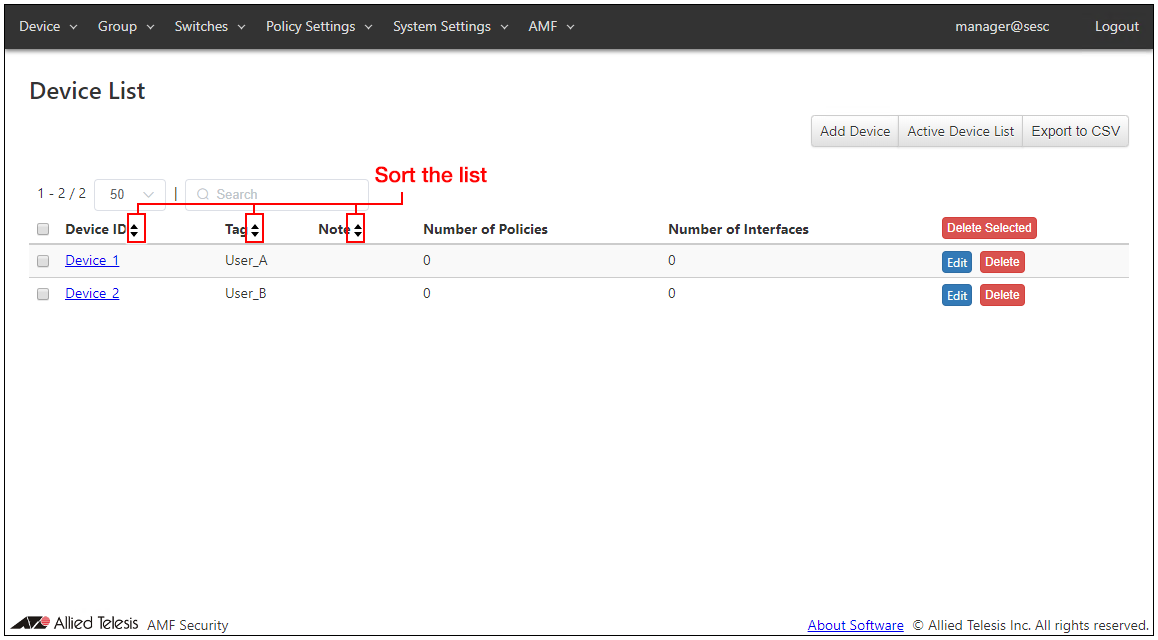
Toggling Order
The sort order is toggled among ascending > descending > default order whenever you click the same button.For details on the sorting order, refer to "Table 1: Target columns for search, filter and sort operations" in How to use the setting page > Searching and Sorting in Tables.
Apply Configuration Changes
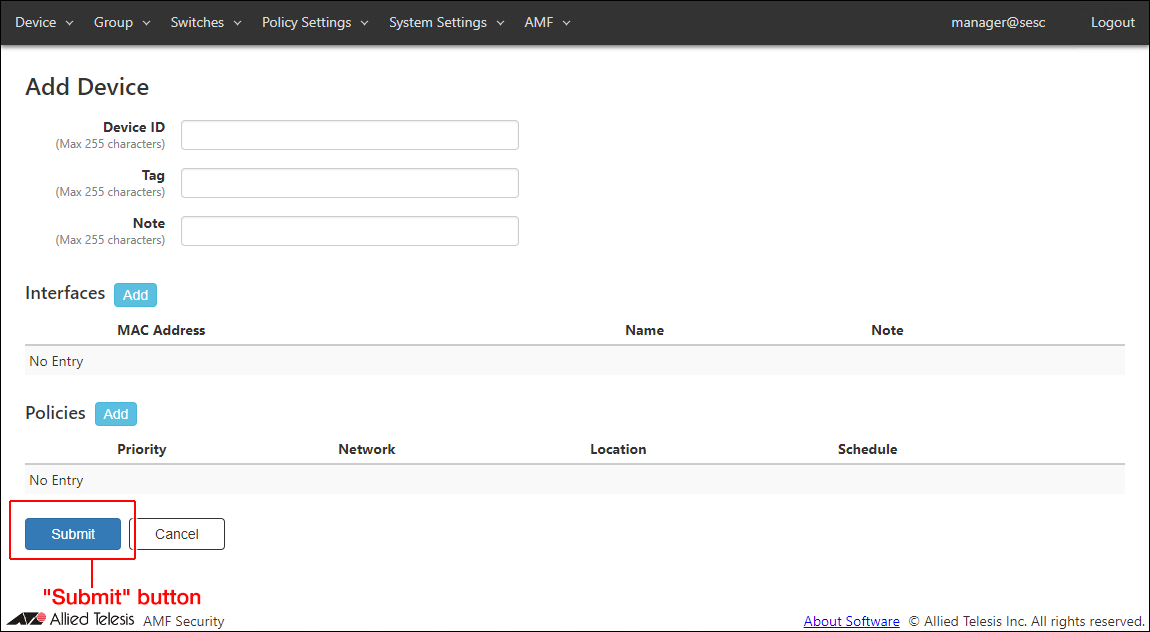
There is the "Submit" button on each configuration page or dialog. After changing configurations on a page or a dialog, do not forget to click the "Submit" button before moving to another page.When you click the "Submit" button, the changes you made on the page are immediately applied to the AMF Security's operation.
NoteThere are some pages without the "Submit" button because they are read-only and do not have any configuration element to change.
About Software
You can view the list of names and licenses of the software used by AMF Security.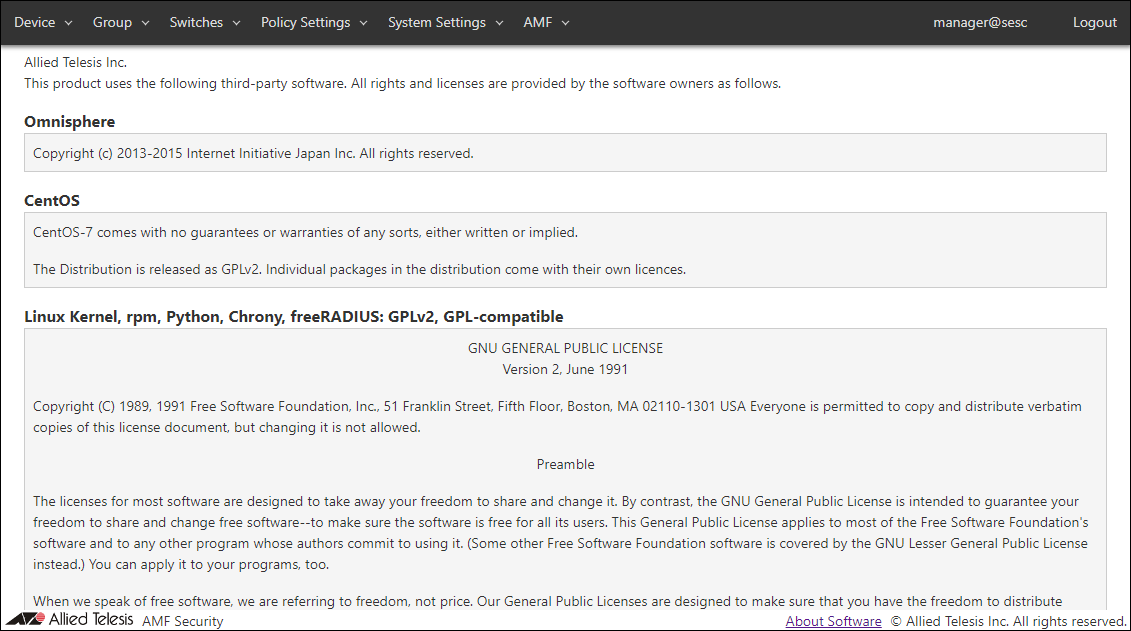
01 Oct 2025 12:50