Window Layout
The SNMP Plug-in is integrated with Vista Manager EX and its functions can be accessed through Vista Manager EX's management web interface.
A page for SNMP Plug-in consists of two major sections, "Menu" and "Content".
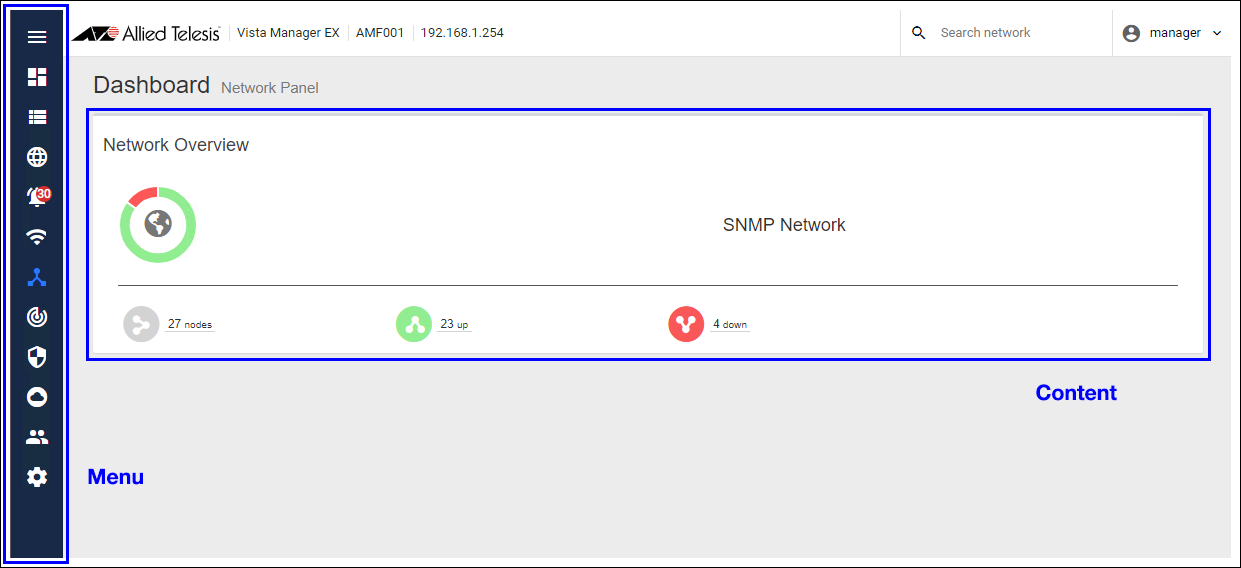
Menu Section
Menus in normal mode are the same as for Vista Manager EX. You can access SNMP Plug-in's functions through "SNMP Plug-in" menu item on the Vista Manager EX main menu.When you logged in as a normal user, the main menu has the item "Dashboard", "Network Tree" and "Device List".
When logged in as an Admin, "System" can be also accessed in addition to the items available to a User.
Clicking the "Menu" icon at the top of the section minimizes the menu section and only icons for menu items are visible.
Clicking the three-line ("Hamburger") icon at the top expands the menu section.
Refer to Screen Reference for a detailed description of the screen corresponding to each menu item.
Content Section
The "Content" section shows various information according to the selected menu item.28 Jan 2022 14:17