Dynamic VLAN with WPA Enterprise
Dynamic VLAN allows you to dynamically assign a separate VLAN to each wireless client (or a user of the device) according to the authentication credentials received from a RADIUS server.
Dynamic VLANs can be used for WPA Enterprise authentication or MAC Access Control.
If you want to use Dynamic VLAN with WPA Enterprise, please refer to Configure AP Profiles to configure WPA Enterprise and specify the RADIUS server. At this time, you also need to enable the "Dynamic VLAN" setting in the advanced settings section of WPA Enterprise.
NoteTo use Dynamic VLAN with Captive Portal, you have to configure WPA Enterprise.
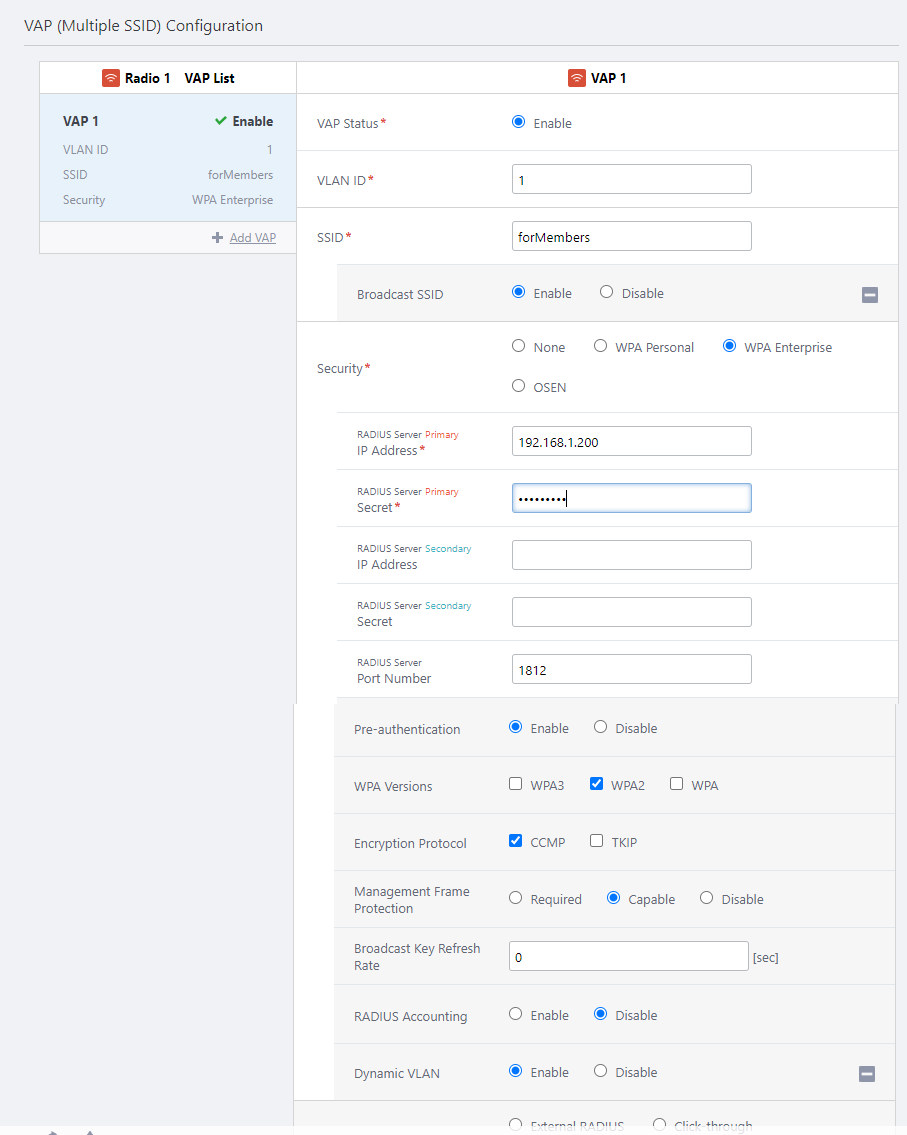
Configure RADIUS Server
To use Dynamic VLAN, you have to add the APs to the RADIUS server's database as RADIUS clients.| Item Name | Description |
|---|---|
| RADIUS Client's IP Address | Wireless AP's IP Address (Example) 192.168.1.230 |
| Secret | Wireless AP's Password (Example) "MyPassword" |
NoteTo allow the APs to carry out authentication, add all APs to the RADIUS client database.
NoteRefer to the RADIUS server's documentation for detailed instructions of how to configure the server.
If you use Dynamic VLAN, create user entries in the RADIUS database that contain the following VLAN-related attributes in addition to username and password.
| Attribute Name | Attribute Value | Comment |
|---|---|---|
| User-Name | Full Name | The username to authenticate (eg. "user1", "user2") |
| User-Password | Password | (When using PEAP(EAP-MSCHAPv2) or TTLS) The password for the user (eg. "passwd1", "passwd2") This is not required when using EAP-TLS (but the user certificate is required) |
| Tunnel-Type | VLAN (13) | Fixed value. See the RADIUS server documentation for configuration. |
| Tunnel-Medium-Type | IEEE-802 (6) | Fixed value. See the RADIUS server documentation for configuration. |
| Tunnel-Private-Group-ID | VLAN ID | The VLAN ID that you want to assign to the user when they are successfully authenticated. (eg. 100, 200) |
NoteWhen packets from the user (wireless client) are forwarded to the wired (ethernet) port of an AP, the VLAN ID is added to the packets.
NoteIf you use WPA Enterprise along with Captive Portal or MAC Access Control, RADIUS attributes used for determining client VLANs should be configured as the ones for WPA Enterprise, not for Captive Portal or MAC Access Control.
In those cases, VLAN attributes received during Captive Portal or MAC Access Control are ignored.
NoteTo use EAP-TLS, certificates for the RADIUS server, certification authorities (CAs), and each client (user) should be properly installed on hosts. To use EAP-PEAP or EAP-TTLS, certificates for the RADIUS server and CAs should be properly installed on hosts. Refer to documentation for the RADIUS server and supplicant for more details.
When used with MAC Access Control or Captive Portal
When WPA Enterprise authentication and MAC Access Control are used together, the wireless client will use the VLAN determined during WPA Enterprise authentication.This means that if the user's VLAN is set in the authentication information of the RADIUS server referenced by the WPA Enterprise, that VLAN will be applied.
If the AP doesn't receive any VLAN information during WPA Enterprise authentication, the client's traffic will be handled on a VLAN that is configured for the VAP.
As a result, VLAN attributes received during MAC Access Control will be discarded.
It's the same with the case where Captive Portal is being used with WPA Enterprise and MAC Access Control.
NoteWhen Captive Portal, MAC Access Control, and WPA Enterprise are used together, they are processed in the order of "MAC Access Control" -> "WPA Enterprise" -> "Captive Portal".
NoteCaptive Portal is not supported on TQ Series with "Duall[11ax]" Profile Type.
26 Mar 2022 18:28