Switches
AMF Member List
This page shows a list of AMF Members registered on AMF Security mini.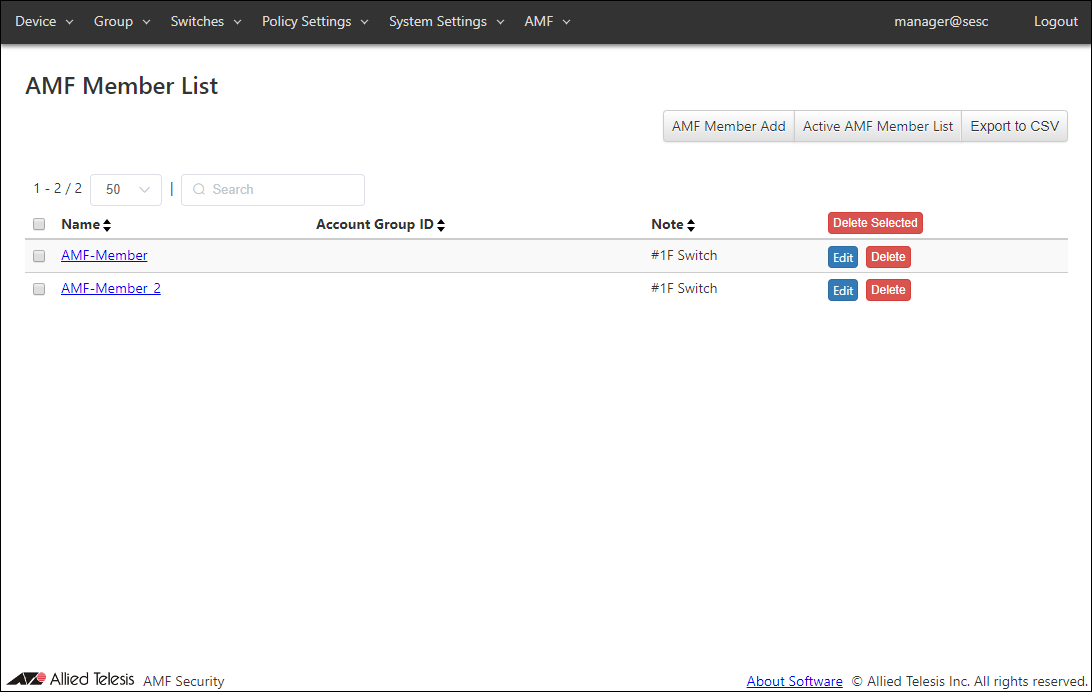
| Item Name | Search | Sort |
|---|---|---|
| Name | × | × |
| Account Group ID | × | × |
| Note | × | × |
| Item Name | Description |
|---|---|
| Name | Name of a registered AMF Member |
| Account Group ID | Account Group ID to which the AMF Member belongs. |
| Note | Arbitrary string (comment) for the AMF Member. |
| Item Name | Description |
|---|---|
| Page Top | |
| AMF Member Add | Open the AMF Member Add page. |
| Active AMF Member List | Open the Active AMF Member List page. |
| Export to CSV | Start downloading of a list of AMF Members in CSV format. |
| AMF Member List | |
| Heading Row | |
| Delete Selected | Delete authentication information of the checked AMF Members. |
| Each Row | |
| Edit | Open the AMF Member Update page for the selected AMF Member. |
| Delete | Delete information of the selected AMF Member. |
NoteRefer to Appendix / CSV File for CSV Files.
AMF Member Add
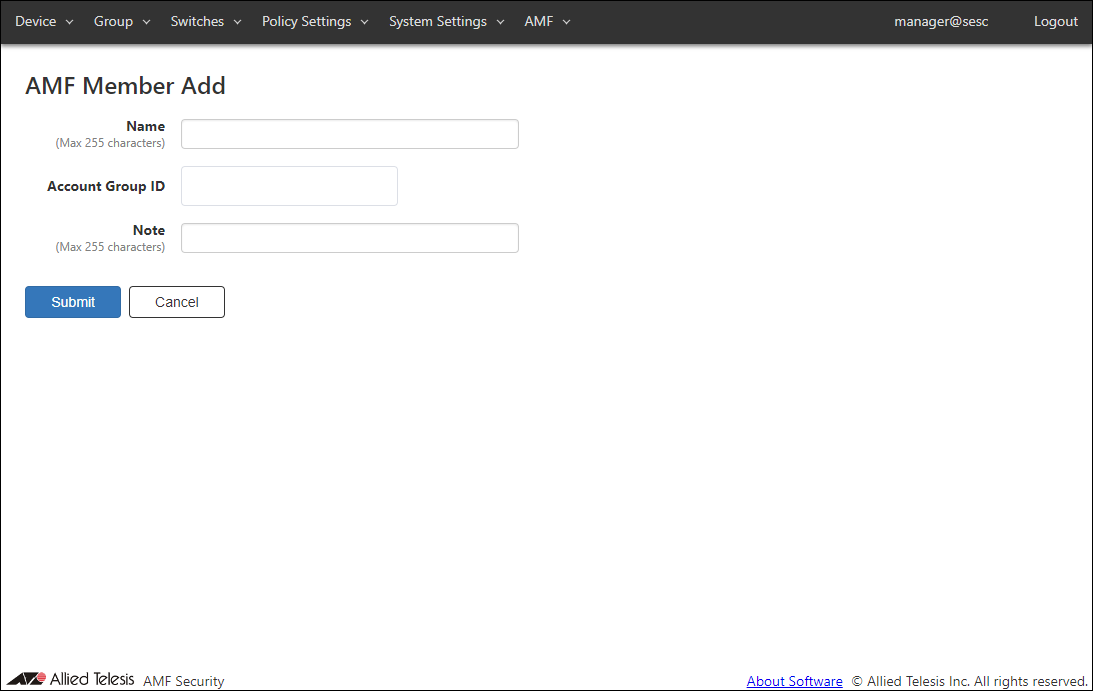
This page lets you register a new AMF Member.By registering as an AMF Member, you can associate security policy locations and account groups.
Registering as an AMF Member is not required if you do not use a location or account group.
NoteWhen you register as an AMF Member, AMF Security mini removes all authentication information for that AMF Member.
| Item Name | Description |
|---|---|
| Name | Name of the AMF Member. The Name cannot be the one already used in the AMF Member List page. Max 255 characters. Can use alphanumeric, hyphen (-) and underscore (_). |
| Account Group ID | Select Account Group ID to which AMF Member belongs. |
| Note | Arbitrary string (comment) for the AMF Member. Max 255 characters. |
NoteName must be the same as the host name of AMF Member. This is because AMF Member is managed by the host name of AMF Member.
NoteSince the name of the AMF Member cannot be registered twice, make sure that the host name of the AMF Member is also unique.
| Item Name | Description |
|---|---|
| Page Bottom | |
| Submit | Register information of the AMF Member. |
| Cancel | Cancel the operation for adding a new AMF Member. |
AMF Member Update
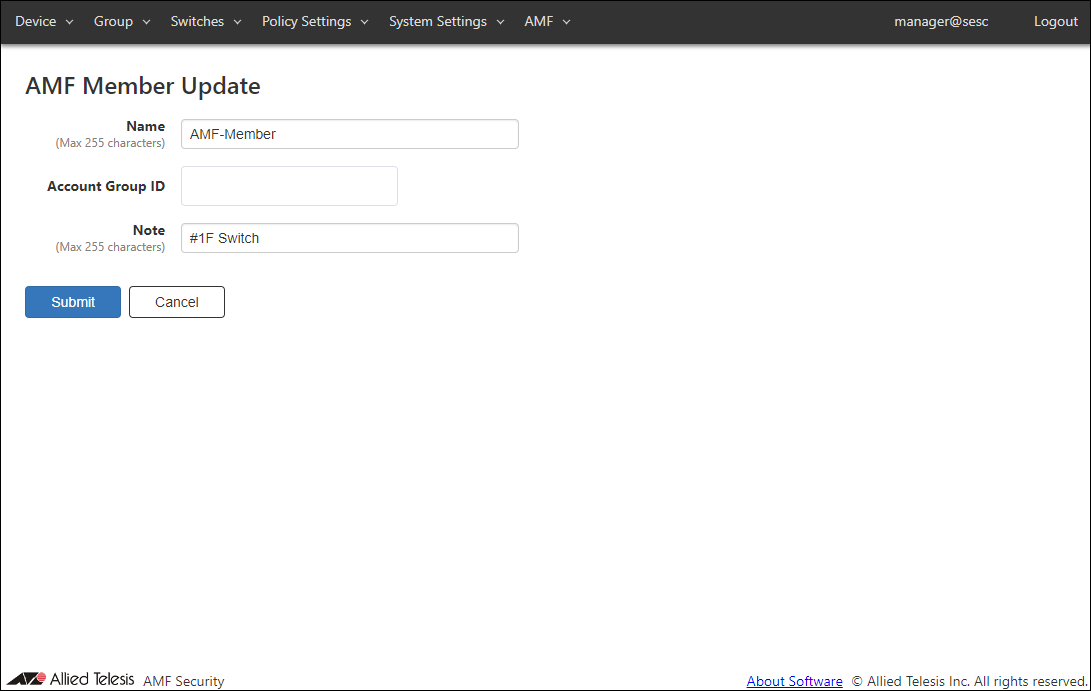
This page lets you update the information of an existing AMF Member.NoteWhen you update an AMF Member, AMF Security mini removes all authentication information for that AMF Member.
| Item Name | Description |
|---|---|
| Name | Name of the AMF Member. The Name cannot be the one already used in the AMF Member List page. Max 255 characters. Can use alphanumeric, hyphen (-) and underscore (_). |
| Account Group ID | Select Account Group ID to which AMF Member belongs. |
| Note | Arbitrary string (comment) for the AMF Member. Max 255 characters. |
NoteName must be the same as the host name of AMF Member. This is because AMF Member is managed by the host name of AMF Member.
| Item Name | Description |
|---|---|
| Page Bottom | |
| Submit | Update information of the selected AMF Member. |
| Cancel | Cancel the operation for updating the AMF Member information. |
Active AMF Member List
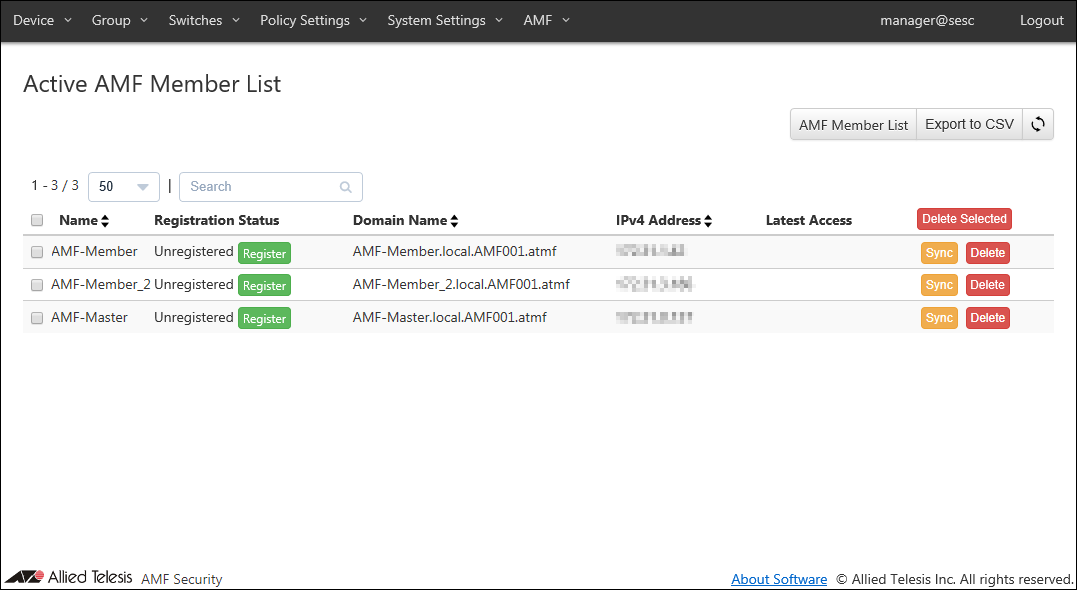
This page shows a list of AMF Members which have established connections with AMF Security mini.When Account Group is set, only AMF Members belonging to the Account Group to which the logged-in Account belongs are displayed.
| Item Name | Search | Filter | Sort |
|---|---|---|---|
| Name | × | − | × |
| Registration Status | × | − | × |
| Domain Name | × | − | × |
| IPv4 Address | × | − | × |
| Latest Access | × | − | × |
| Item Name | Description |
|---|---|
| Name | Name of the AMF Member (An identifier used by AMF Security mini) |
| Registration Status | Registration status of the AMF Member Click "Register" to open the AMF Member Add page. If the AMF Member is not registered, a text "Unregistered" and the "Register" button are displayed. |
| Domain Name | Domain name of the AMF Member. |
| IPv4 Address | IPv4 Address of the AMF Member. |
| Latest Access | Displays the date and time when AMF Security mini and AMF Member last communicated. |
NoteIf the "application-proxy whitelist advertised-address" is not set for the AMF Member, the IP Address of the AMF management VLAN is displayed. If "application-proxy whitelist advertised-address" is set for the AMF Member, the primary IPv4 Address of the specified interface is displayed, but no inquiry has been received regarding the availability of node under the corresponding AMF Member shows the IP Address of the AMF management VLAN.
| Item Name | Description |
|---|---|
| Page Top | |
| AMF Member List | Open the AMF Member List page. |
| Export to CSV | Start downloading of a list of Active AMF Members in CSV format. |
| Active AMF Member List | |
| Heading Row | |
| Delete Selected | Delete authentication information of the checked AMF Members. |
| Each Row | |
| Submit | Open the AMF Member Update page for the selected AMF Member. |
| Sync | Get information of the selected AMF Member. |
| Delete | Delete information of the selected AMF Member. |
NoteRefer to Appendix / CSV File for CSV Files.
06 Sep 2023 16:33