Create Management Group
Create a Management Group at the beginning of building a Smart Connect Network.
Management Group is a mechanism to define a set of APs which can be managed by a specific user.
One Smart Connect Network can be created for the Management Group.
Here, a Management Group "3F Group" is created to manage APs belonging to the third floor of the building as members of the Smart Connect Network.
- Select "Wireless Configuration" > "Management Group" from the AWC Plug-in menu.
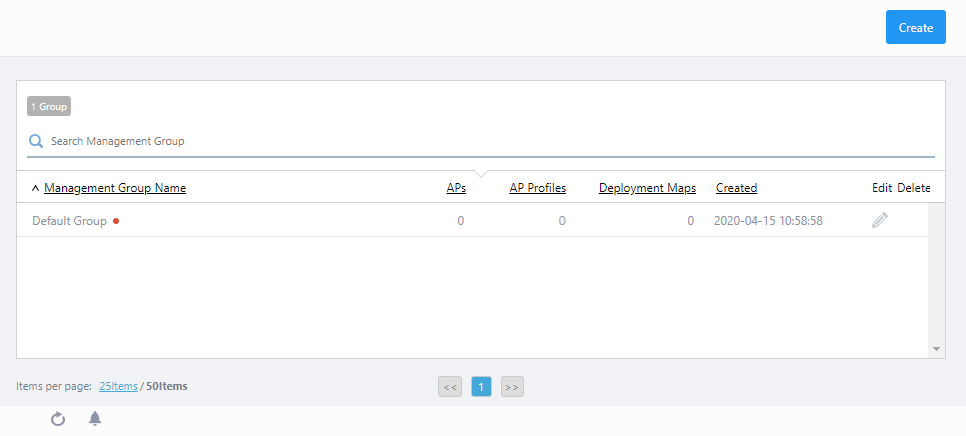
- Click "Create" at the top right of the screen.
The "Create Management Group" dialog box will appear.
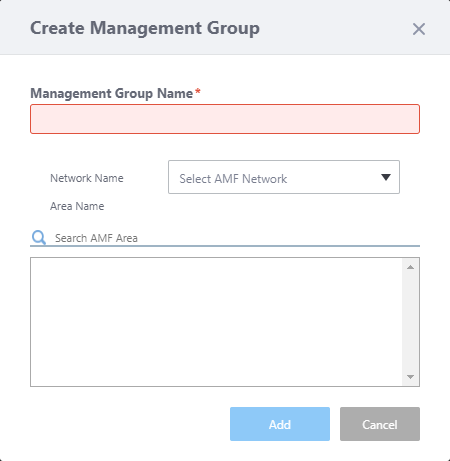
- Enter a name for the Management Group.
Here, enter "3F Group".
- You can optionally specify an AMF network and areas for the group.
AWC-SC does not support the APs running as AMF guest devices. Thus, AMF network selection in this dialog box is not necessary for building AWC-SC.
Use of the AMF Guest Device feature is allowed for management of switches or APs that don't join to Smart Connect network. By selecting AMF Network and Areas, you can easily find and register APs which you are not planned to join in AWC-SC.
If you do not use "Registration from Guest Device", you can leave the name blank.
This time we specify an AMF network "AMF001".
- Once you select an AMF network, a list of AMF Areas in the network will be shown in the "Area Name" field.
Select areas you want to include in the group. You can specify multiple areas for a single Management Group.
Here we select "area1".
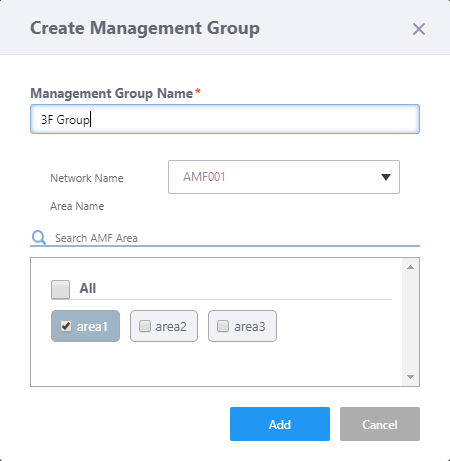
- Click "Add".
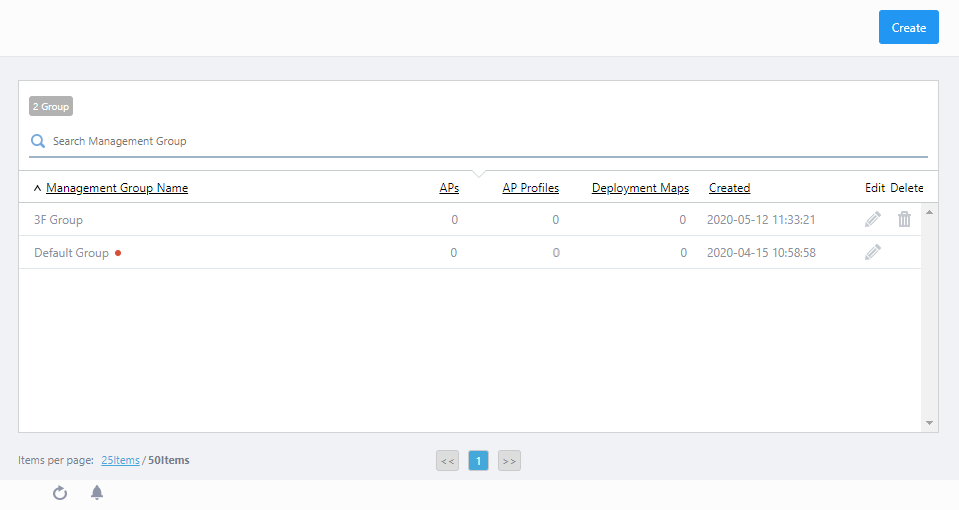
The created Management Group "3F group" is added to the list.
26 Mar 2022 18:26