Action Command
Action Command defines an action to take when some event (error, trap reception etc.) occurs.
You can configure which action to take on a specifc event on Screen Reference > System > Event Filter.
Action Command List
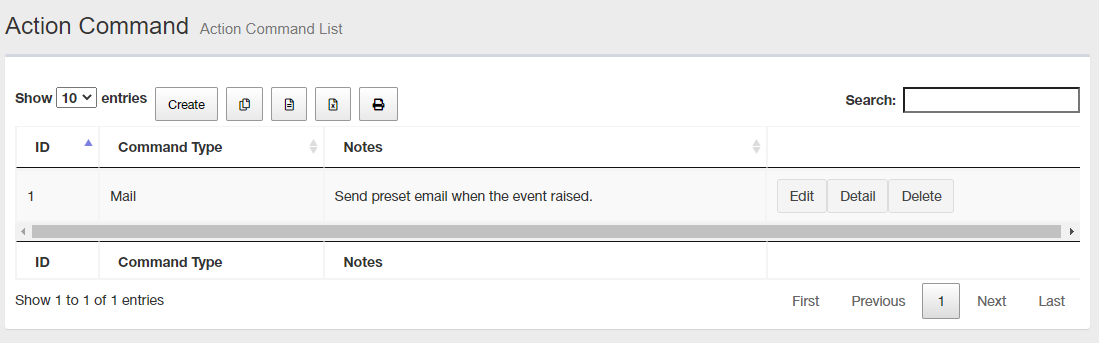
NoteBy clicking a column header (eg. "Command Type" or "Memo"), you can sort the list by the column. Order (ascending or descending) can be toggled by clicking the header.
| Item Name | Contents |
|---|---|
| Number of items displayed on the page | Lets you select a number of action commands displayed on a single page. |
| "Create" button | Lets you add a new action command. Add Action Command page will appear. |
 Copy to Clipboard |
Copies the action command list (ID, command type, memo) to clipboard as a tab-delimited text. It is useful when you want to copy a list to your text editor. You can filter target subnets with "Search" box. "Number of items on the page" and the current page do not affect an output. |
 Export to CSV file |
Exports the action command list (ID, command type, memo) to a CSV file. You can filter target subnets with "Search" box. "Number of items on the page" and the current page do not affect an output. |
 Export to Excel |
Exports the action command list (ID, command type, memo) to an Excel book file (.xlsx for Microsoft Excel 2007 or later). You can filter target subnets with "Search" box. "Number of items on the page" and the current page do not affect an output. |
 |
Shows the action command list (ID, command type, memo) on another browser window or tab and opens a print dialog box. You can filter target subnets with "Search" box. "Number of items on the page" and the current page do not affect an output. |
| Search field | Lets you filter target subnets by keywords. The search ignores case. |
| ID | Shows an ID of the action command determined on its creation. |
| Command Type | Shows the action commands type. |
| Notes | Shows a note on the action command. |
| "Edit" button | Opens Update Action Command for the action command. |
| "Details" button | Opens Action Command Details for the action command. |
| "Delete" button | Opens "Delete Action Command" dialog box. Clicking "Yes" in the dialog box deletes the action command. Click "No" or "Close (x)" button at the top left of the dialog box allows you to cancel the delete operation and goes back to "Event Filter List" page. |
| Page Navigation | Lets you view a specific page of the list.
|
Create Action Commands
This screen lets you create a new action command.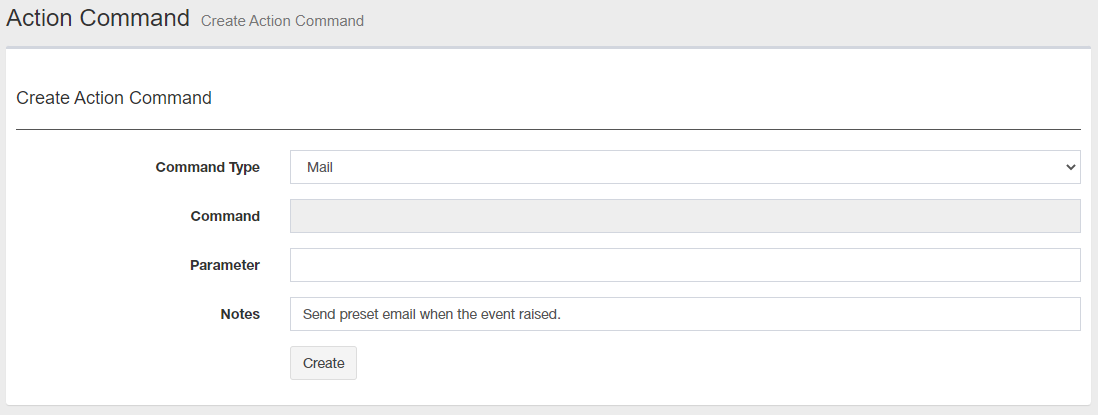
| Item Name | Contents |
|---|---|
| Command Type | Lets you select a command type from the dropdown list of pre-defined types. Send Email: Uses "minimail" email client which is accompanied with the SNMP Plug-in. minimail is a simple email client which can be run from CLI. The program can only send emails and cannot receive them. |
| Command | This menu item is not supported. |
| Parameters | Specify detailed options for the parameters provided by default in SNMP Plug-in. |
| Notes | Lets you add a description of the command. You can specify half-width alphabets, numbers, and symbols within 4096 characters. By default, it has pre-defined text depending on the selected command type. You can change the text to help you later remember what the command does. |
| "Create" button | Save the newly created action command configuration. |
Parameters
When you use "Send Mail" action command, specify the following parameters.◼ Send Mail
Syntax: <server name> <option>...
- <server name>:
Mail server name (required)
- <option>:
Table 3: "Send Mail" option parameters Option Description -p port
or
--port portSpecify the port number. -f addr
or
--from addrMail address of the sender. -t addr [,addr .. ]
or
--to addr [,addr .. ](required) recipient email address. Use commas(,) to specify multiple addresses. -c addr [,addr .. ]
or
--cc addr [,addr .. ]Carbon copy email address. Use commas(,) to specify multiple addresses. -b addr [,addr .. ]
or
--bcc addr [,addr ..]Blind carbon copy email address. Use commas(,) to specify multiple addresses. -r addr
or
--replyto addrReply-To email address -s string
or
--subject string(required) email subject
Note
You can use special variables.
-m "content"
or
--mailbody "content"Specify a body text in double-quotes. Use "\n" for newline.
Note
You can use special variables.
-@ {JIS7|UTF8}
or
--charset {JIS7|UTF8}Specifies the character set from either JIS7 or UTF8. -B
or
--OP25BUse Outbound Port 25 Blocking (OP25B)
If -p (or --port) is not specified, -p 587 is applied.-S
or
--SMTPSSpecify when using SMTPS (SMTP over SSL/TLS).
If -p (or --port), -B (or --OP25B) is not specified, -p 465 is applied.-T
or
--STARTTLSSpecify when using STARTTLS.
-S (or --SMTPS) must be specified when using this option.-F
or
--no-check-certificateSpecify if the certificate is not validated. -A
or
--SMTP-AUTHSpecify when using SMTP authentication (SMTP AUTH). -P
or
--PLAINSpecify when using PLAIN for SMTP authentication. -L
or
--LOGINSpecify when using LOGIN for SMTP authentication. -C
or
--CRAM-MD5Specify when using CRAM-MD5 for SMTP authentication. -D
or
--DIGEST-MD5Specify when using DIGEST-MD5 for SMTP authentication. -u username
or
--userid usernameSpecify the user name to be used for sending mail. -w password
or
--password passwordSpecify the user's password for sending mail.
Special Variables
You can use the following special variables in action command's parameter.A special variable is a string beginning with a percent sign (%). When you use them in "Parameter", they will be replaced with their actual values and then passed to the command.
| Node Name | Description |
|---|---|
| %name | A name of a log event source (e.g. node name) |
| %adr | An address. IP address is used when both IP and MAC address are available. |
| %ip | An IP address. IPv4 address is used when both IPv4 and IPv6 address are available. |
| %ipv4 | IPv4 address |
| %ipv6 | An IPv6 address |
| %mac | MAC Address. If a target node has IPv4, IPv6 and MAC addresses, those addresses are prefered in the order of IPv4, IPv6 and MAC. |
| %msg | A message (log event detail). |
| %type | Log Type |
| %subt | Event |
| %level | Log Level ("User", "Informational" or "Debug"). |
| %time | Date/Time of a log event. |
| %aid | Action Command ID number. |
NoteSpecial variable "%aid" is currently not supported.
Action Command Details
This page shows the action command details.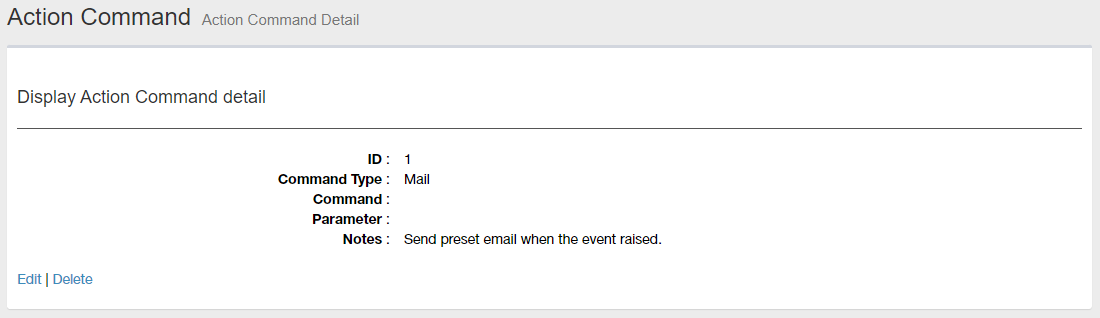
| Item Name | Contents |
|---|---|
| ID | Shows an ID of the action command determined on its creation. |
| Command Type | Shows a command type (Sending email). |
| Command | Blank because it is not supported |
| Parameters | Specify detailed options for the parameters provided by default in SNMP Plug-in. |
| Notes | Shows a notes on the action command. |
| Edit | Opens Update Action Command for the action command. |
| Delete | Opens "Delete Action Command" dialog box. Clicking "Yes" in the dialog box deletes the action command. Click "No" or "Close (x)" button at the top left of the dialog box allows you to cancel the delete operation and goes back to "Action Command Details" page. |
Update Action Command
This page lets you change the action command configuration.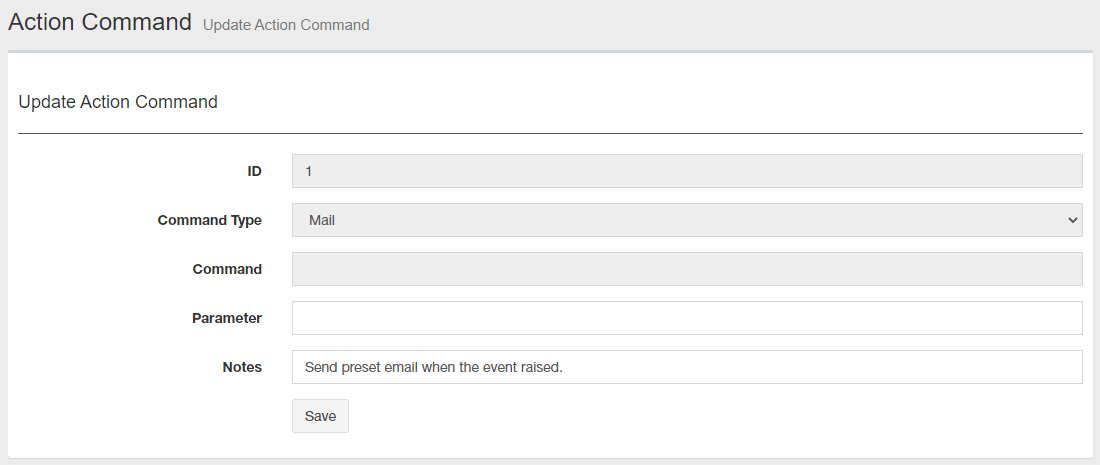
| Item Name | Contents |
|---|---|
| ID | Shows an ID of the action command determined on its creation. |
| Command Type | Lets you select a command type from the dropdown list of pre-defined types. Send Email: Uses "minimail" email client which is accompanied with the SNMP Plug-in. minimail is a simple email client which can be run from CLI. The program can only send emails and cannot receive them. |
| Command | Blank because it is not supported |
| Parameters | Specify detailed options for the parameters provided by default in SNMP Plug-in. Refer to Parameters for more details. You can also use special variables related to events in option parameters. Refer to Special Variables about them. |
| Notes | Lets you add a description of the command. You can specify half-width alphabets, numbers, and symbols within 4096 characters. By default, it has pre-defined text depending on the selected command type. You can change the text to help you later remember what the command does. |
| "Save" button | Saves the changes to the action command configuration. |
02 Aug 2024 14:28