Steps to stop the Trap Receiver application
If you do not want to use Trap Receiver, stop Trap Receiver as follows.
Remove Trap Receiver in the Vista Manager application
NoteIt is not possible to back up the management data of the SNMP network. Removing Trap Receiver removes all information, including SNMP subnet registration information.
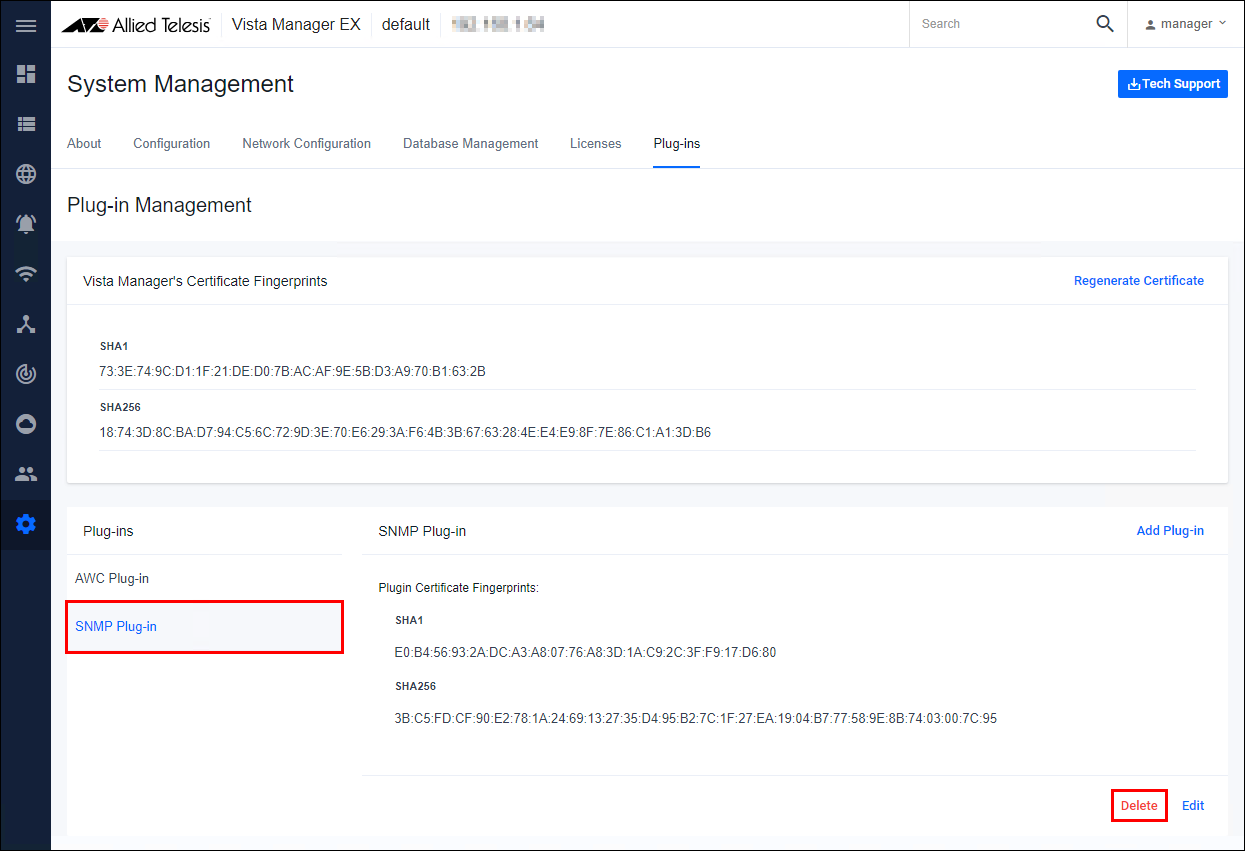
- Open the Plug-in Management page in the Vista Manager application, click "SNMP Plug-in", and then click the "Delete" button.
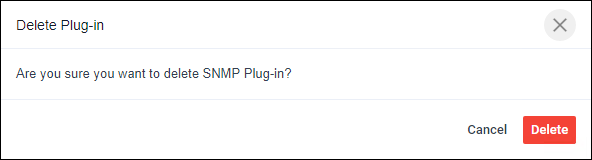
- Click the "Delete" button in the confirmation dialog.
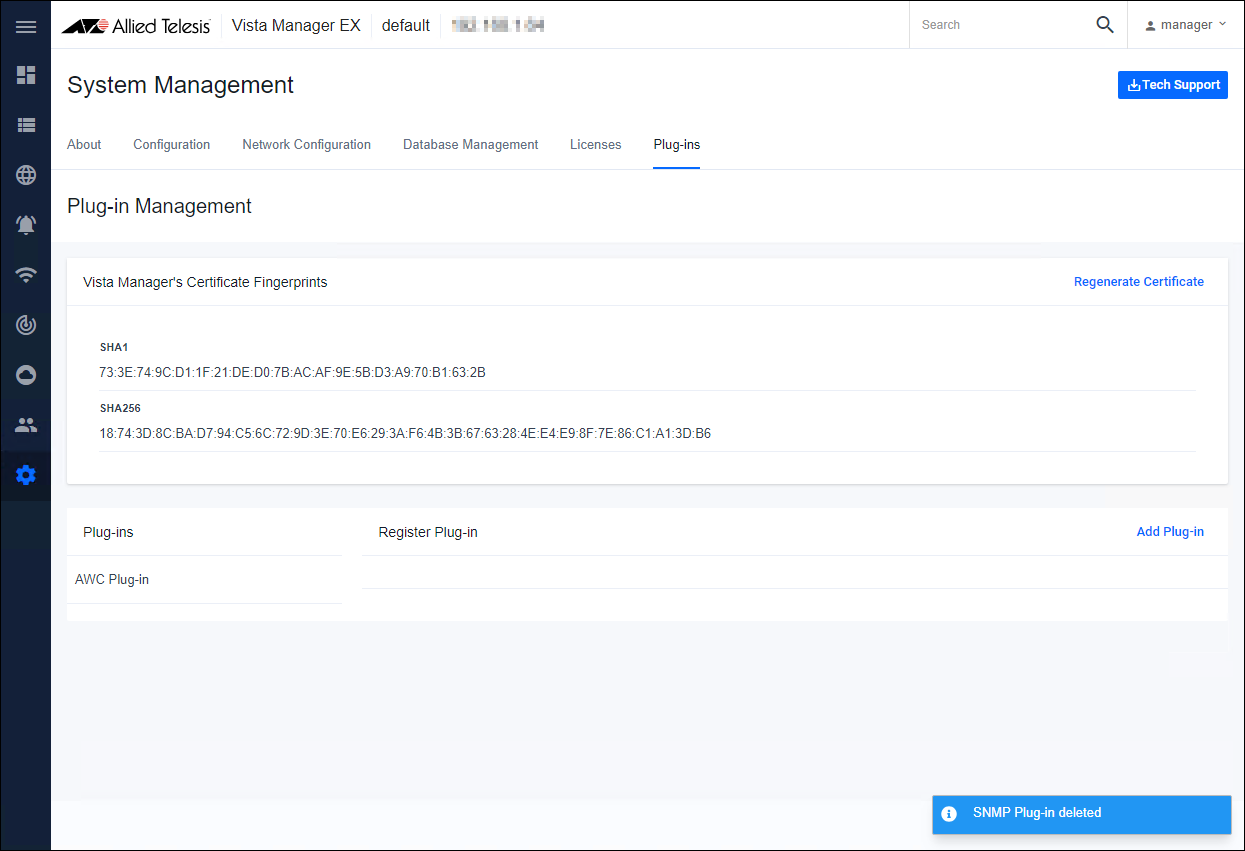
- If the Plug-in is successfully deleted, the "SNMP Plug-in" from the Plug-ins list and the Trap Receiver (SNMP Plug-in) icon from the main menu is deleted.
Steps to stop the Trap Receiver application on VST-VRT.
The procedure for stopping Trap Receiver on VST-VRT is described below.- Login to VST-VRT's management web interface.
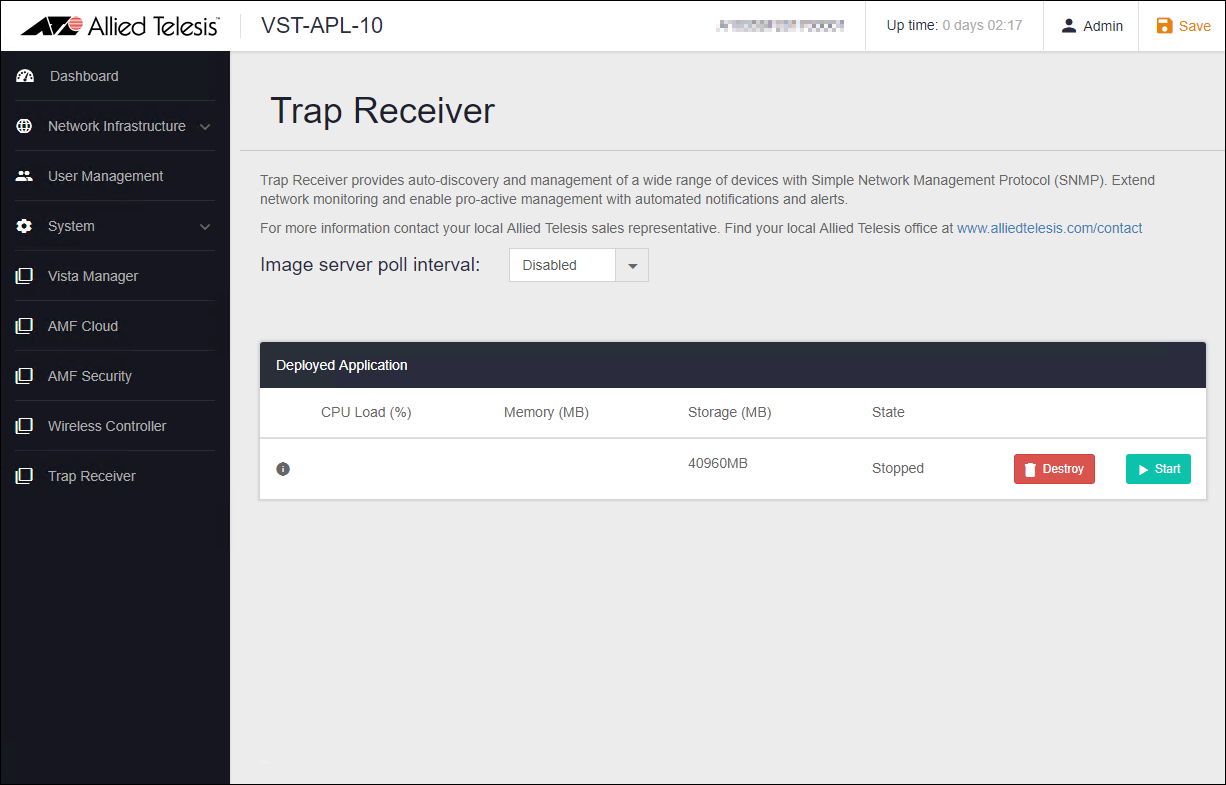
- Click "Trap Receiver" in the menu field on the left side of the page, and then click the "Stop" button on the Trap Receiver management page.
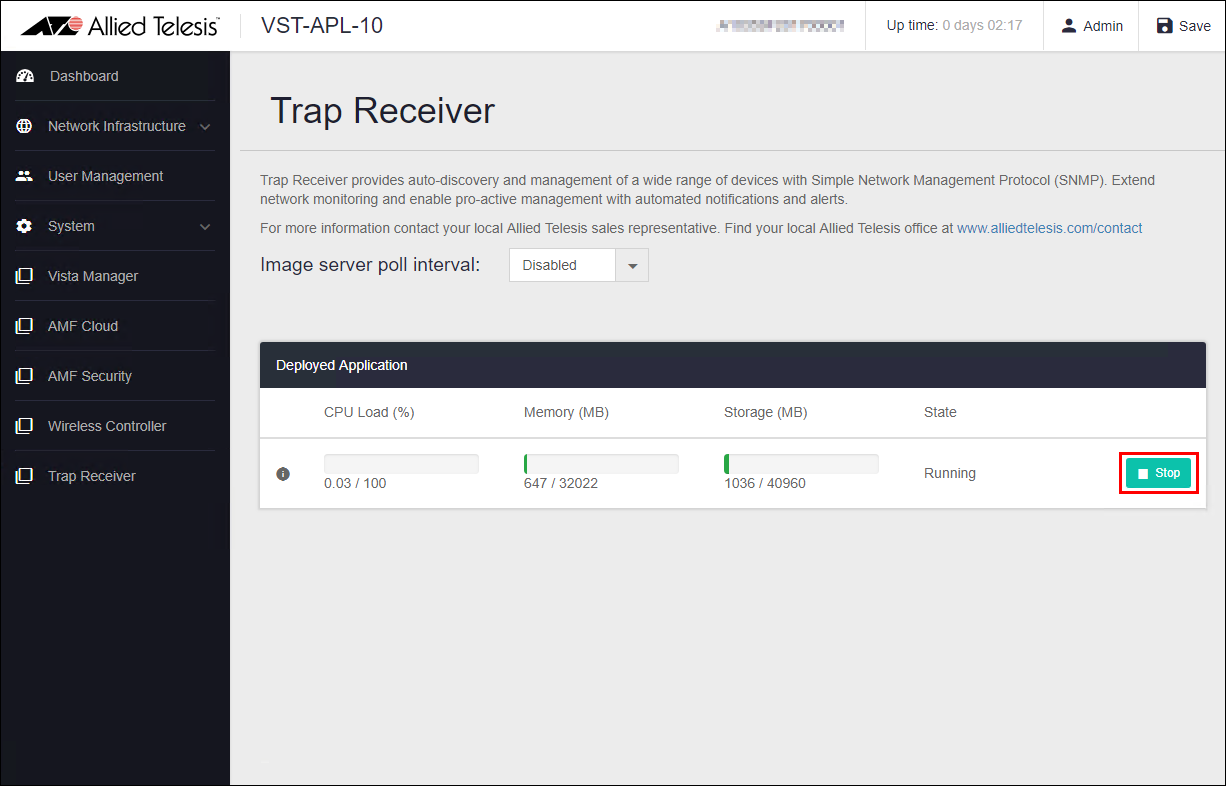
- When the State item becomes "Stopped" and the "Destroy" and "Start" buttons are displayed, Trap Receiver stop is complete.
Note
The "Destroy" button is not supported. If you do not use Trap Receiver, do not click the "Destroy" button and leave it in the "Stopped" state.
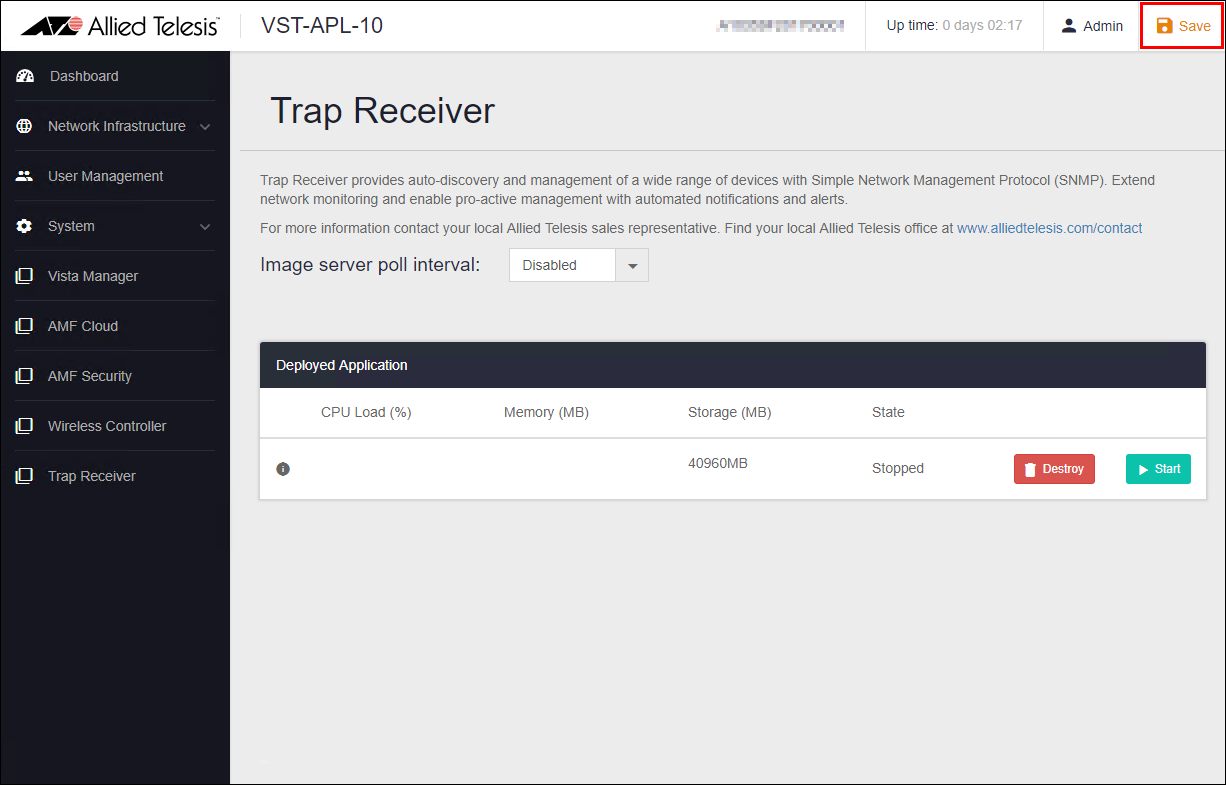
- Click the "Save" button at the top right of the page to save the stopped state of the application.
20 Sep 2021 14:30