Emergency Mode
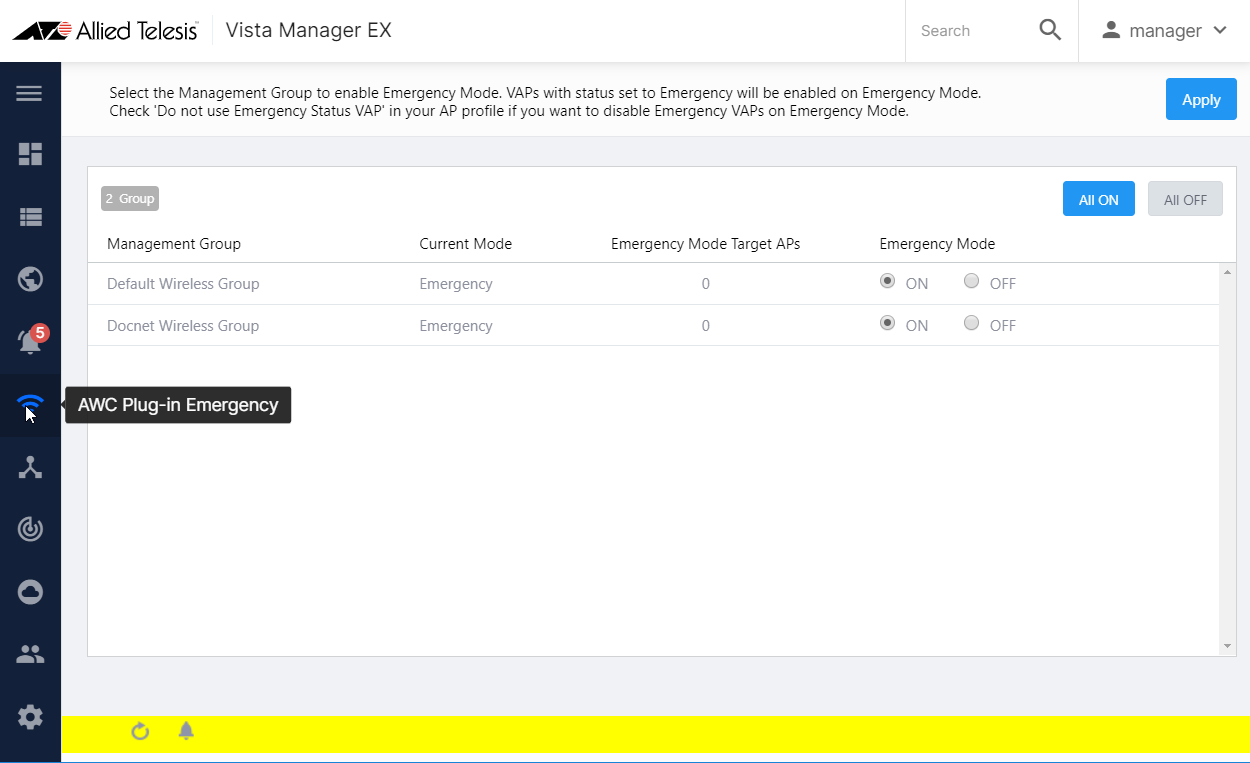
Emergency Mode is a mode where the pre-defined emergency SSID (VAP) is enabled.
By configuring an emergency VAP in an AP Profile, you can quickly enable the emergency VAP on the Emergency Mode screen.
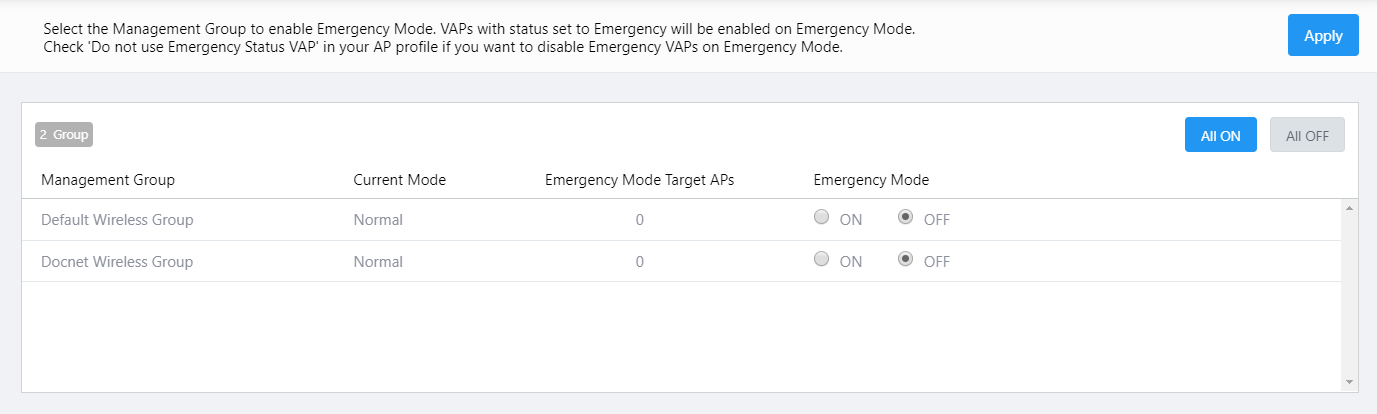
Emergency Mode can be enabled for each management group.
| Item Name | Description |
|---|---|
| X Group | Shows the number of management groups. |
| All ON | Lets you enable Emergency Mode on all management groups. |
| All OFF | Lets you disable Emergency Mode on all management groups. |
| Management Group | Shows the management group name. |
| Current Mode | Shows the current mode, either "Normal" or "Emergency". |
| Emergency Mode Target APs | Shows the number of APs in the management group that have an emergency VAP configured. |
| Emergency Mode | Select "ON" (Enabled) or "OFF" (Disabled) for the Emergency Mode. |
| "Apply" button | Lets you apply Emergency Mode status (ON/OFF) to APs in the management group. |
04 Jul 2023 09:16