View AWC Calculation Result
This section explains how to view AWC calculation results for optimal channels and transmit powers.
- Select "Wireless Monitoring" > "AWC History" from the AWC Plug-in menu.
- Select a target management group from the list on the left side of the Content section.
Groups in the list can be filtered by entering partial name in the "Search Management Group" box. The Search field lets you enter a partial string to match. The screen displays entries with that string in their name. To remove the filter, delete the string from the Search field and press Enter.
Note
The search is case-sensitive.
- An AWC calculation history for the selected management group will be displayed on the right side of the Content section.
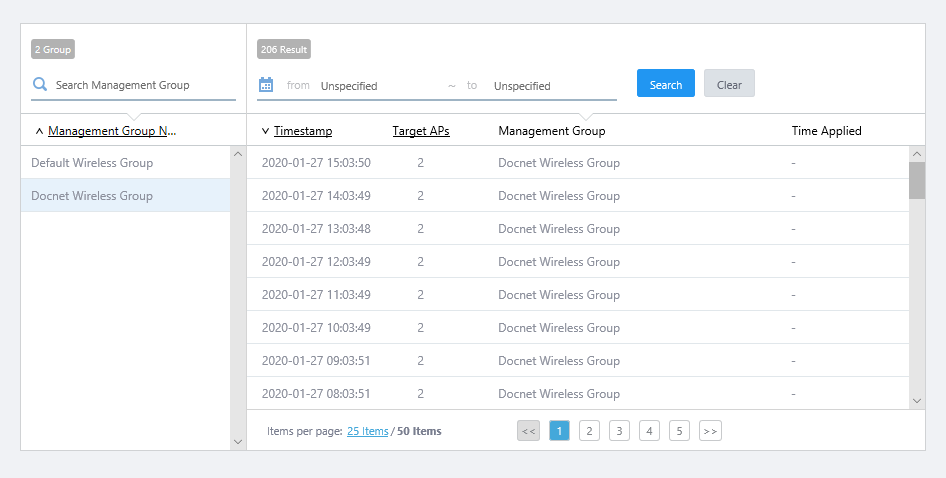
- Click an entry (date/time) in the history.
- The AWC Calculation Results page for the date/time will appear.
The selected date/time is shown in the page title.
On the left side of the page, optimal channel and transmit power for each AP in the management group is shown per radio band (Radio1/2/3).
Clicking "Radio" at the top displays the calculation results for each AP. Clicking "Details" shows the MAC address of the APs, and the floor map each AP belongs to.
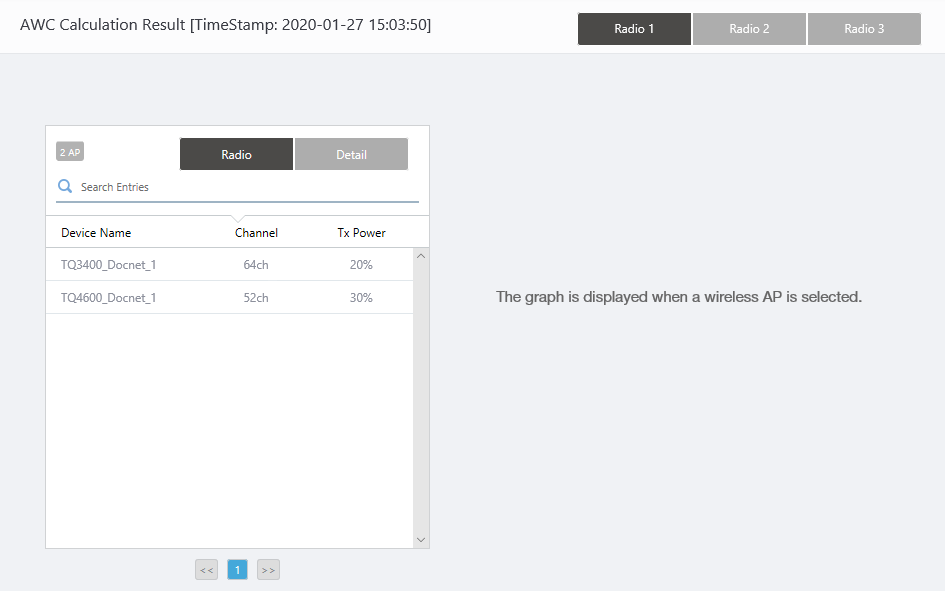
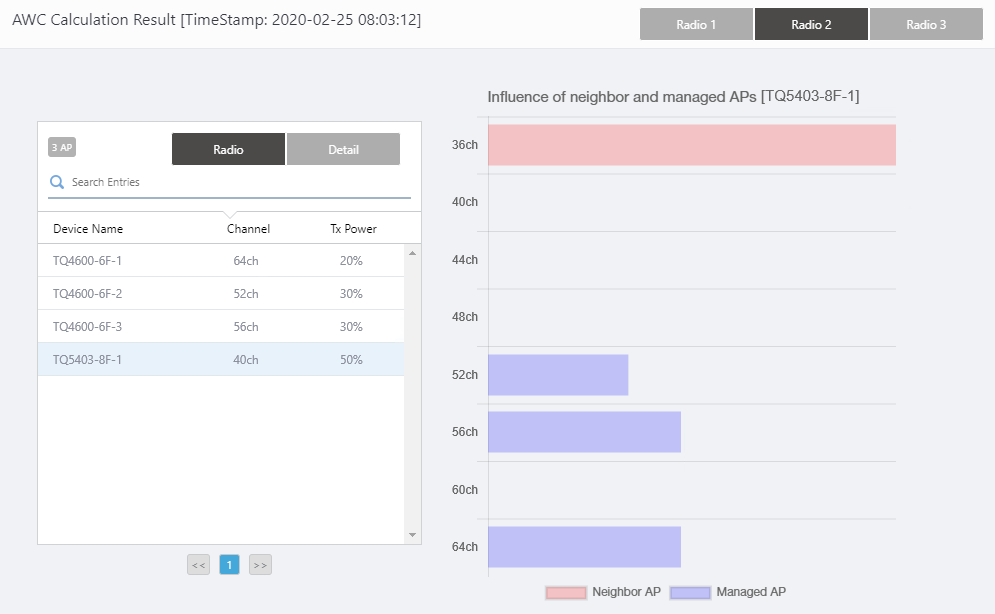
Clicking an AP on the list shows a graph on the right side of the page. This shows influences from other managed and unmanaged APs on each channel on the selected radio band for the selected AP.Table 1: "AWC Calculation Results" dialog box. Item Name Description Search Entries Lets you search and filter AWC Calculation entries.
The Search field lets you enter a partial string to match. The screen displays entries with that string in one of the following fields: "Device Name", "MAC Address" or "Floor Map".
To remove the filter, delete the string from the Search field and press Enter.
Note
The search is case-sensitive.
Device Name Shows the name of the AP. Radio Channel Shows the optimal channel for the AP on the radio band. Tx Power Shows the optimal transmit power for the AP on the radio band. Details MAC Address Shows the MAC address of the AP. Floor Map Shows the floor map name to which the AP belongs.
- Blue:
Shows channels and transmit powers of other managed APs detected by the AP.
- Red:
Shows channels and transmit powers of other unmanaged APs detected by the AP.
- Blue:
14 Dec 2023 10:09