If you forget your password
If you forget your login details for AT-RADgate, and an SMTP Server is registered with AT-RADgate, you can recover your login details using the Email Address associated with your account.
NoteIf you forget your Account Name or Email Address, have not registered an SMTP Server, or have not associated your Email Address with your account, you are not able to recover your password by email.
You need to initialize (delete and recreate) the AT-RADgate application in the settings page of VST-APL or VST-VRT. For more information, refer to the VST-APL or VST-VRT document posted on our website.
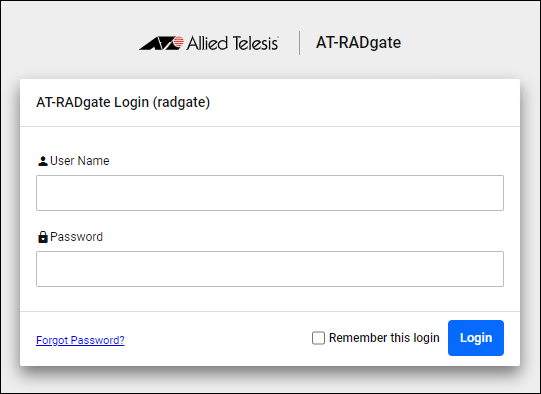
- Click "Forgot Password?" at the bottom left of Login page.
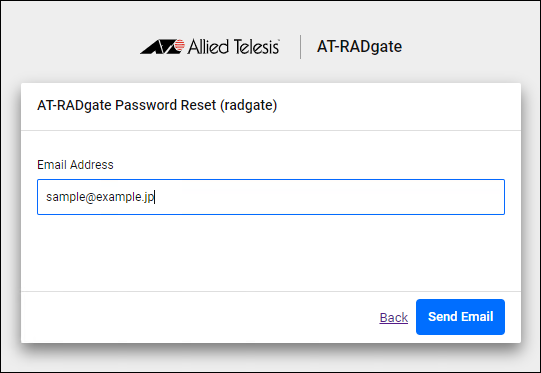
- Enter the Email Address set for the administrator account in the "Email Address" field and click the "Send Email" button.
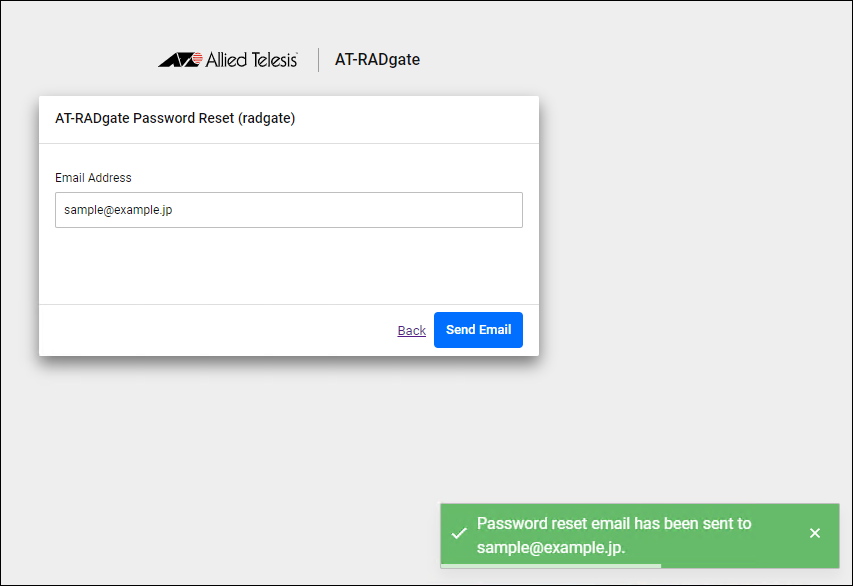
- If a valid SMTP setting is registered, "Password reset mail has been sent to (Email Address)." is displayed.
- An Email with the subject "AT-RADgate Password Reset Page" is sent to the Email Address you entered. Click the link in the body of the email.
◼ Subject
AT-RADgate Password Reset Page
◼ Body
You can access AT-RADgate password reset Web page from the following link. Please reset your password on this page.

https://(AT-RADgate's IP Address)/public/page/password-reset/reset/xxxxxxxxxxxxxxxxxxx

This page is valid for 10 minutes. Please change your password within this time. If you don't remember this mail, please ignore this email and your password will remain unchanged.
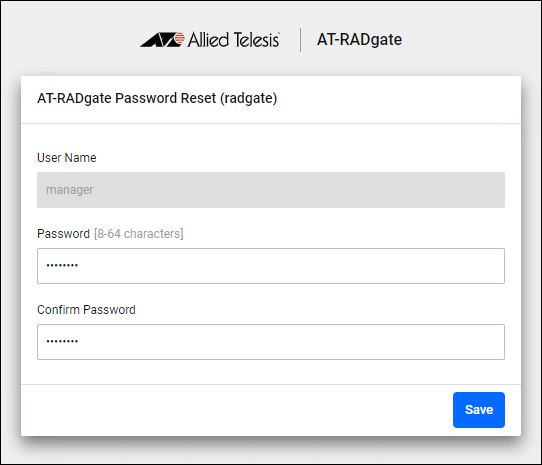
- The "AT-RADgate Password Reset" page appears, so enter your new password, confirm the password, and click the "Save" button.
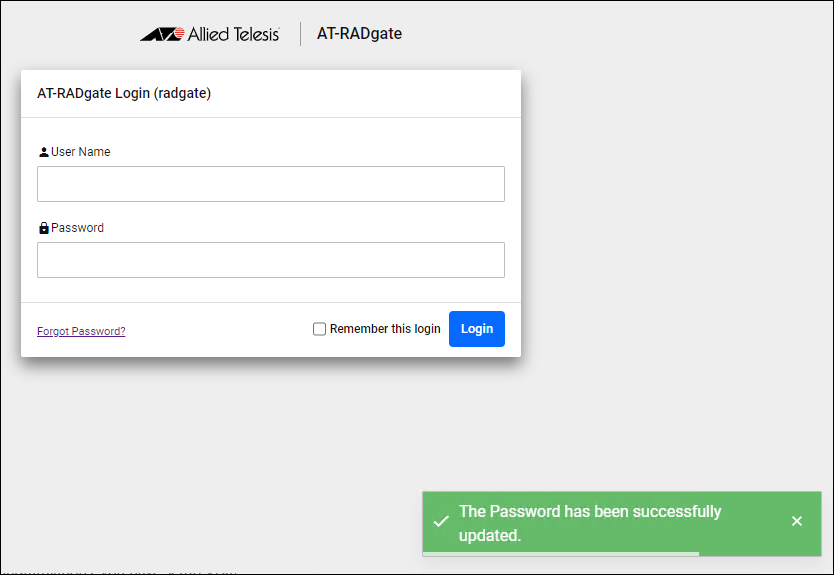
- "The Password has been successfully updated." is displayed. After that, the Login page is displayed.
- An Email with the subject "AT-RADgate password has been changed" is sent to the Email Address you entered. Click the link in the body of the email.
◼ Subject
AT-RADgate password has been changed
◼ Body
Your AT-RADgate account password have been changed.
Please click on the following link to login AT-RADgate again.

https://(AT-RADgate's IP Address)/public/page/login
- The AT-RADgate Login page is displayed. Enter your Account Name and changed Password to log in.
17 Jun 2025 09:28