Create Floor Map
Now let's configure a floor map to visualize wireless APs in the network.
Create a Floor Map
- Select "Wireless Monitoring" > "Floor Map" from the AWC Plug-in menu, to display the "Floor Map" screen.
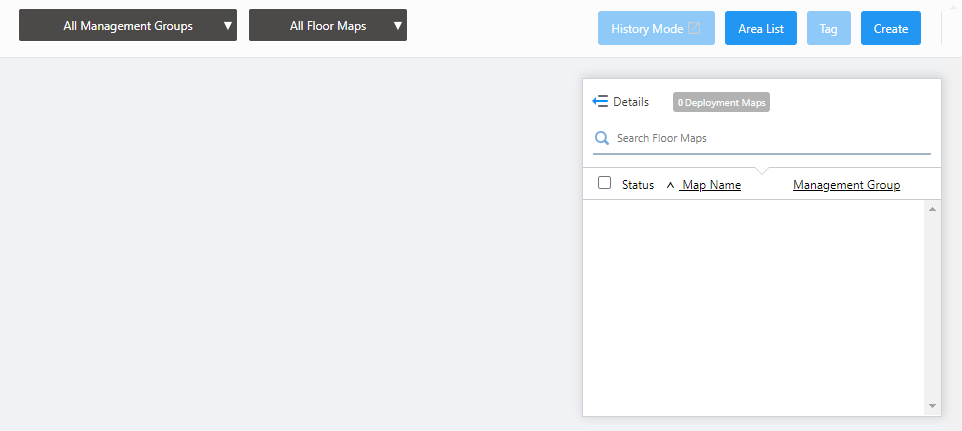
- Click "Create" at the top right of the screen.
The "Create Deployment Map" dialog box will appear.
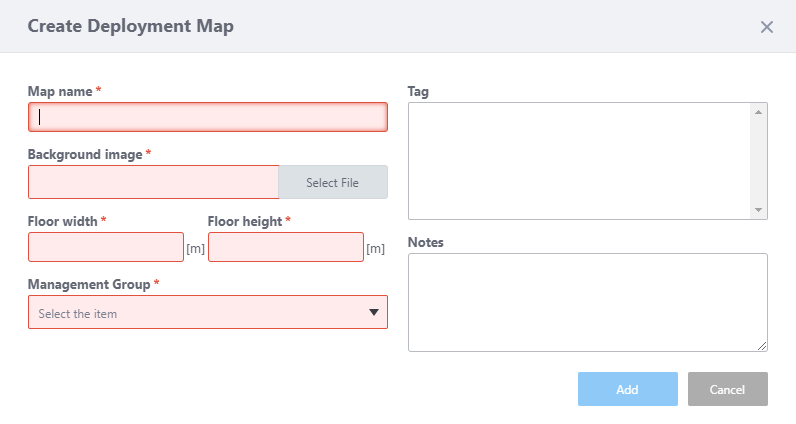
- Enter "6F Map" in "Map name".
- Specify the floor map image by using the "Select File" button in the "Background image" section.
Note
A map image with a margin around the floor makes the floor size calculation less accurate. We recommend that you trim the margin on the image with an image editor.
- Enter the actual floor size in meters in the "Floor width" and "Floor height" (length) fields.
When you enter either width or length, the other value is automatically filled in according to the aspect ratio of the image.
The floor size is used to render the radio wave's heat map.
Here we enter the size (W 66m x L 41m).
- From the "Management Group" dropdown, select the management group "6F Group" that we created earlier in Quick Tour > Configure Multi-channel Wireless Network > Create Management Group.
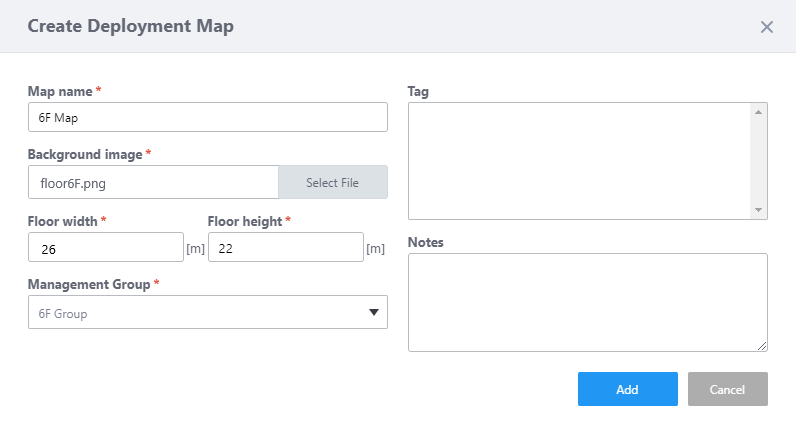
Here we leave the Tag and Note fields empty and click "Add".
- Now you can see the floor map "6F Map" in the list.
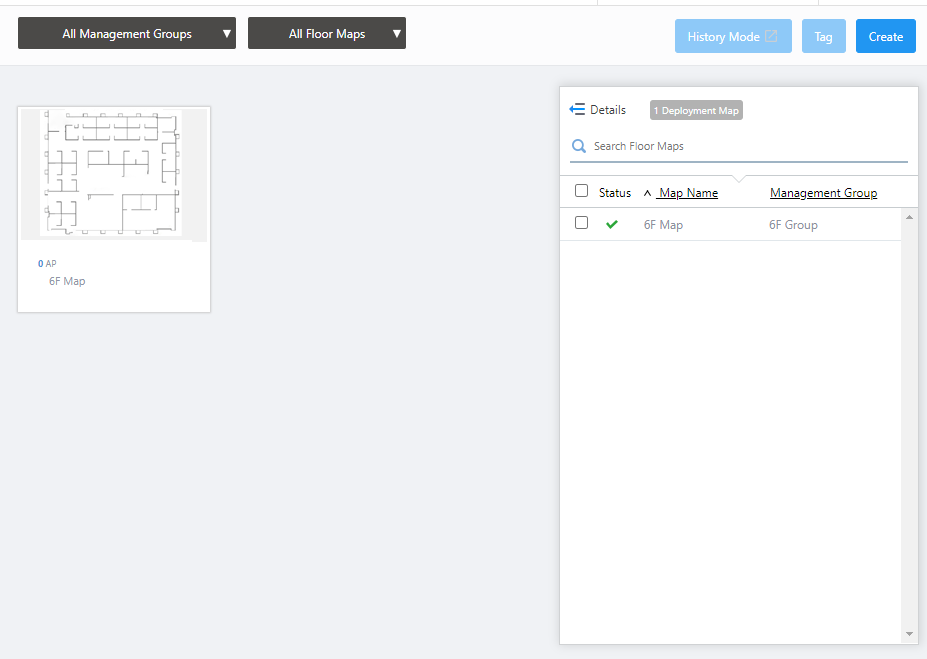
Add APs to the Floor Map
Next let's place the TQ6602s on the floor map.- Click on the "6F Map" that we just added.
The Wireless Status View for the "6F Map" will appear.
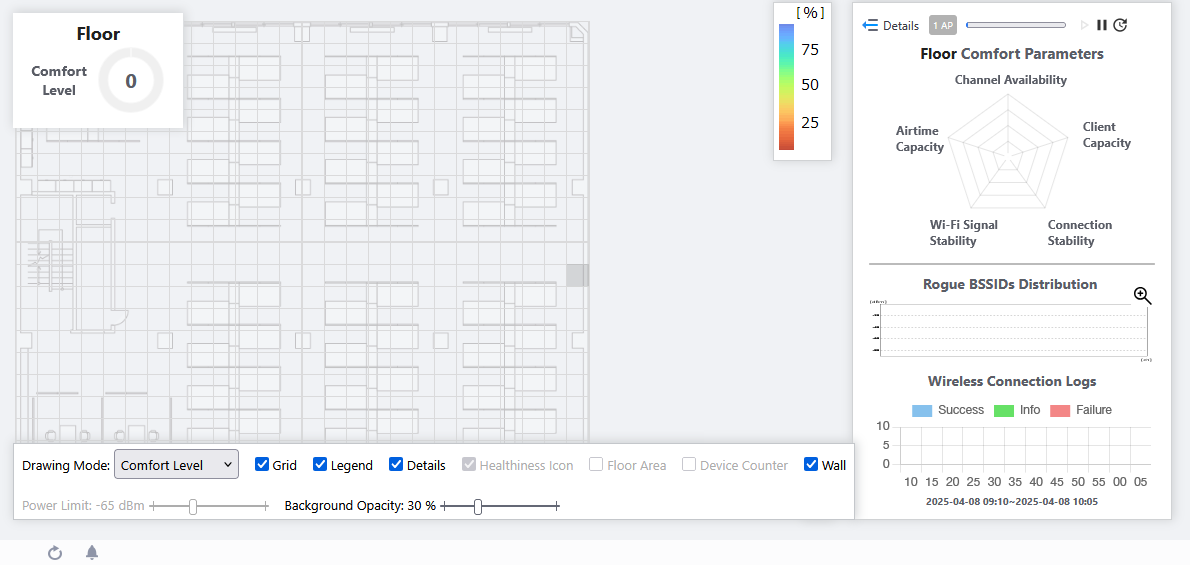
- Click the View Selection dropdown menu (currently showing "Wireless Status View") at the top right of the screen and select "Add AP to Map" from the dropdown menu.
The "Add AP to Map" view will appear. A list of APs in the same Management Group as the map are shown on the right side of the screen.
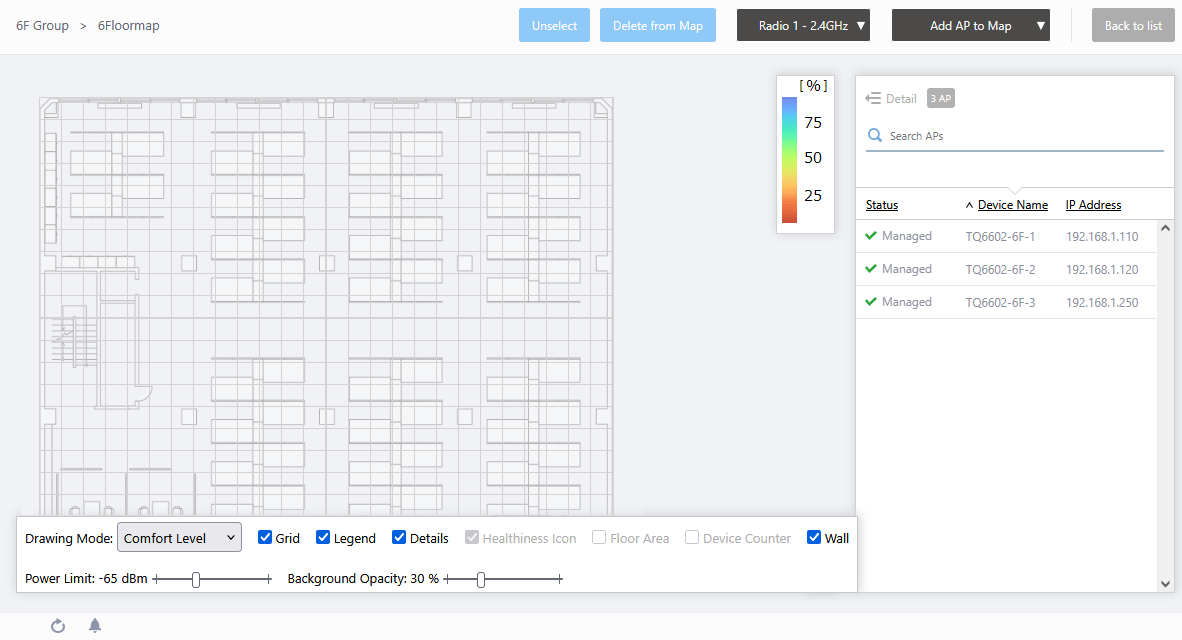
- Click "TQ6602-6F-1" in the list.
The mouse cursor will change to an AP icon.
- Click a point on the map where you want to place the AP.
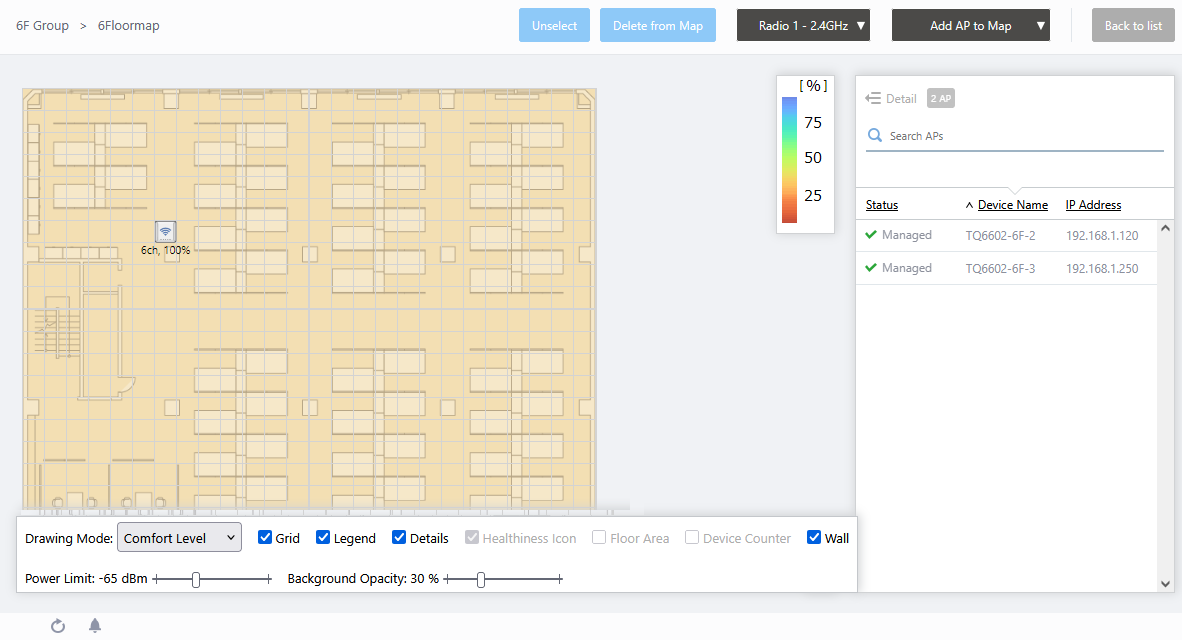
If you want to change the position of the AP icon, drag the AP icon and drop it in the desired position.
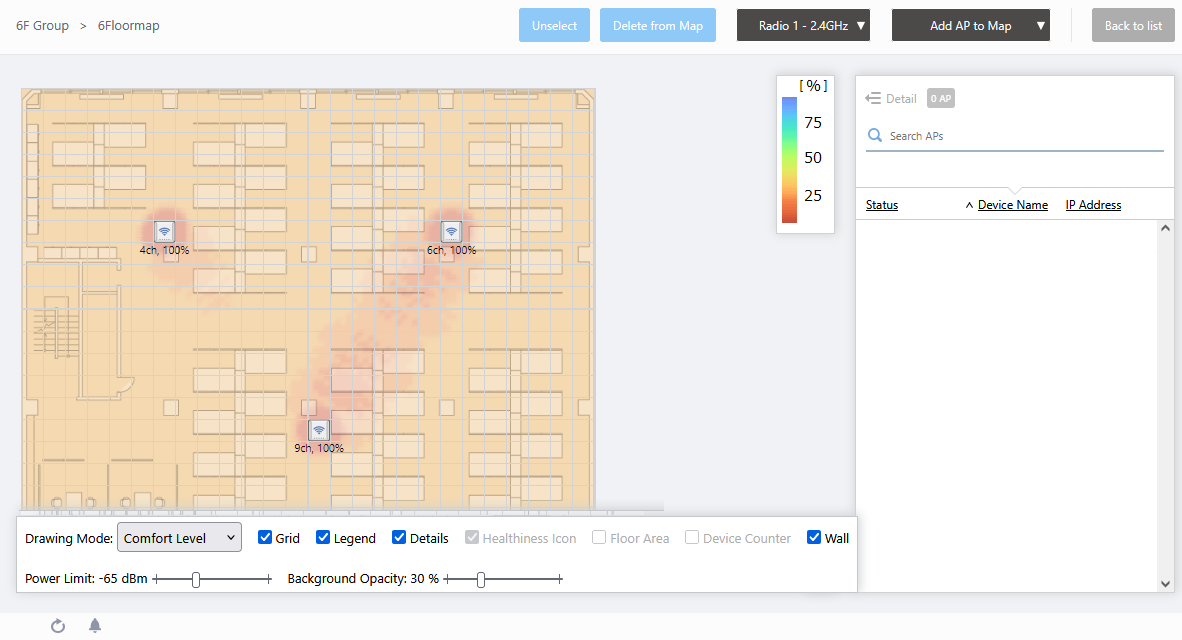
- Similarly, select and place TQ6602-6F-2 and TQ6602-6F-3 on the map.
- You are finished creating the floor map.
29 Apr 2025 11:29