Administrator Privileges
This section provides details about the permissions that can be assigned to accounts on the Account Management page.
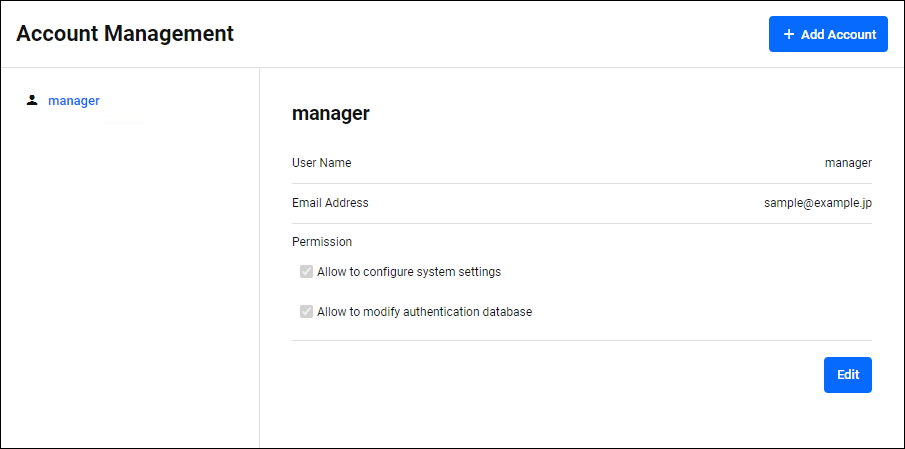
◼ If you check "Allow to configure system settings"
The following System settings can be changed.
| Setting page | Content |
|---|---|
| Account Management page | Viewing and changing information for accounts other than your own |
| Account Management page | Changing the permissions for your account |
| System Management page settings | pChanging System settings |
| System Management > About page | System Backup and Restore |
| System Management > Configuration Management page | Backup, restore and initialize system settings |
| System Management > Network Settings page | Adding and deleting SSL Certificates |
| System Management > License page | Installing Licenses |
| "Tech Support" button on the System Management page | Obtaining Files for Technical Support (To add authentication policy data to technical support information, you must check "Allow to modify authentication database".) |
◼ If you check "Allow to modify authentication database"
You can edit the following authentication databases:
| Setting page | Content |
|---|---|
| Policy Management page settings | Editing an Authentication policy |
| System Management > Database Management page | Backup, restore, initialize, and optimize authentication policies |
| "Tech Support" button on the System Management page | Added authentication policy data to technical support information (You must check "Allow to configure system settings" to obtain files for technical support) |
01 Oct 2025 12:51