Restoring to another virtualization environment
This section explains how to restore an active AT-RADgate to a different virtualization environment.
In this explanation, the following distinctions are made.
| AT-RADgate in operation | Allied Telesis Container Platform (Virtualization Environment A) AT-RADgate (Virtualization Environment A) |
| AT-RADgate in a different virtualization environment | Allied Telesis Container Platform (Virtualization Environment B) AT-RADgate (Virtualization Environment B) |
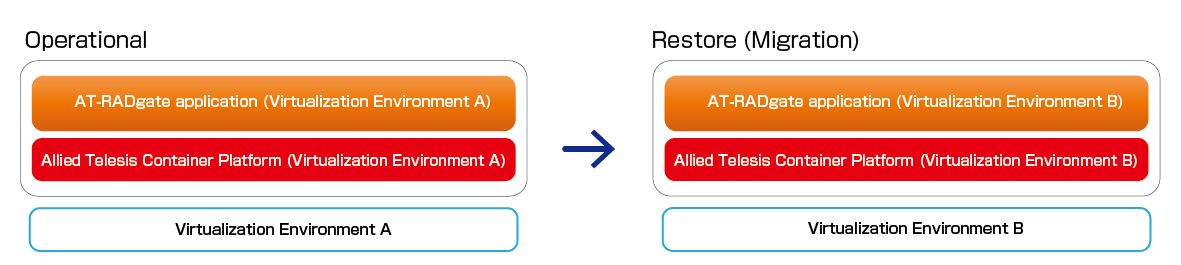
When the version of AT-RADgate is the same
This section explains the procedure for restoring AT-RADgate (Virtualization Environment A) to the same version of AT-RADgate (Virtualization Environment B).Package version "1.1.0"
The following table shows the versions of the Allied Telesis Container Platform and the AT-RADgate application.| Allied Telesis Container Platform | 1.11.1 |
| AT-RADgate application | 1.1.0 |
Backup and Restore
- Allied Telesis Container Platform
The configuration file (default.cfg) obtained from the Allied Telesis Container Platform (Virtualization Environment A) cannot be restored to the Allied Telesis Container Platform (Virtualization Environment B).
New configuration is required on the Allied Telesis Container Platform (Virtualization Environment B).
- AT-RADgate application
Backup and restore operations are available for the AT-RADgate application.
Refer to Quick Tour > Backup and Restore of AT-RADgate. The entire AT-RADgate system currently in operation can be backed up to an external image file and restored.
Note
License information cannot be saved with backups other than "System Backup".
Note
Deleting the AT-RADgate application prevents the use of the existing license for future installations.
Since license reissue is required, please note the serial number displayed on the System Management > About page of the newly installed AT-RADgate and contact our sales engineer.
02 Oct 2025 12:05