IDS/IPS Settings
On this screen, you can configure IDS/IPS (Intrusion Detection/Protection System). These settings determine whether Rogue APs and Clients are detected, whether to execute a De-Auth attack, and whether to send a Rogue AP detection message to the Notification section.
Refer to Supported Functions per AP Model > Wireless Configuration" > "IDS/IPS Settings for APs that support this function.
IDS/IPS settings can be configured for each management group.
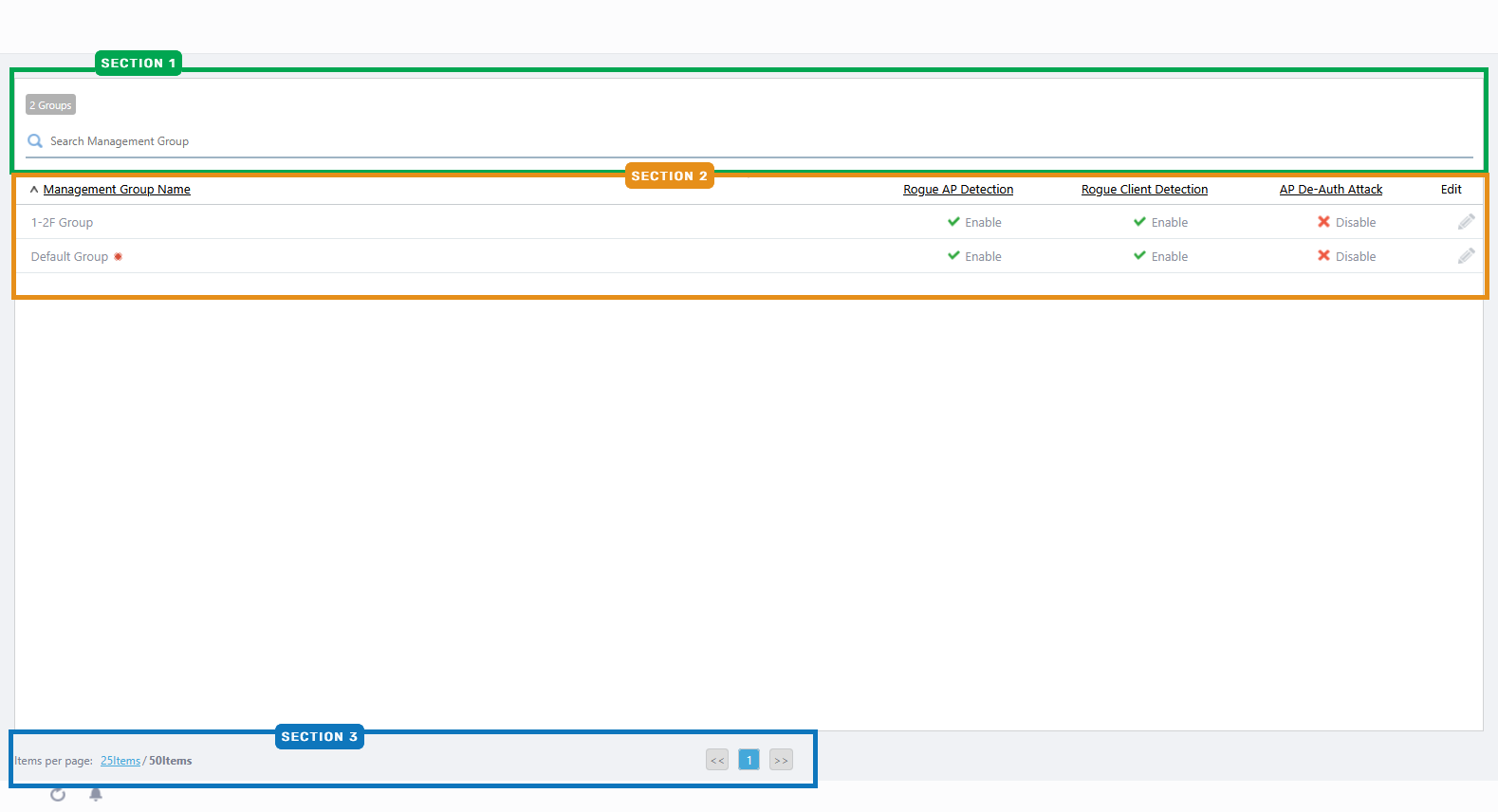
Section 1
| Item Name | Description |
|---|---|
| X Group | Shows the number of management groups. |
| Search Management Group | Lets you filter the list of management groups. The Search field lets you enter a partial string to match. The screen displays entries with that string in one of the following fields: "Management Group Name" or "Creation Date/Time". To remove the filter, delete the string from the Search field and press Enter. NoteThe search is case-sensitive. |
Section 2
| Item Name | Description |
|---|---|
| Management Group | Shows the management group name. |
| Rogue AP Detection | Shows whether to detect rogue APs. |
| Rogue Client Detection | Shows whether to detect rogue clients. |
| AP De-Auth Attack | Shows whether to attack rogue APs. |
| Edit (pencil icon) | Lets you edit the IDS/IPS configuration. Refer to Operation Reference > Miscellaneous Settings > Configure IDS/IPS Settings for more details. |
Section 4
| Item Name | Description |
|---|---|
| Items per page | Specifies the number of items per page. |
| << | Goes to the first page of the list. |
| (Page Number) | Shows the current page number in the list. |
| >> | Goes to the last page of the list. |
10 Nov 2025 11:46