Device Registration
If they connect to a "Collection Network" that collects device information such as MAC addresses, and try to browse any web page, they will be redirected to the Device Collection captive portal.
Here, the MAC address of the network user's device as well as other information set by the network administrator (AWC-SDF user), such as the device name and identification number, can be registered together.
To register, they will need a password that has been set in advance by the administrator.
The administrator can allow or deny connections from specific MAC addresses based on the information entered.
Login
This is the login screen for the Device Registration page.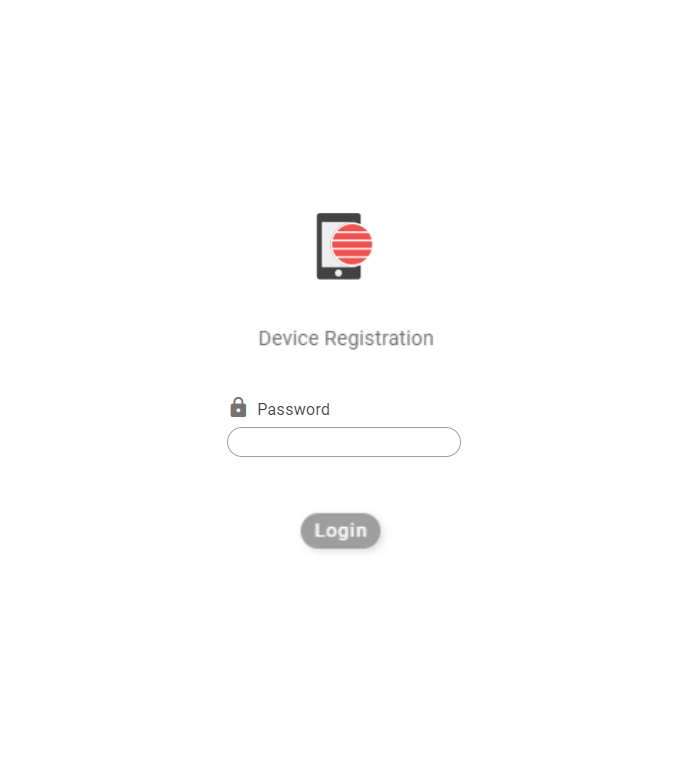
| Item Name | Description |
|---|---|
| Icon | The icon of the Device Registration page set by the administrator will be displayed. |
| Page Title | The title of the Device Registration page set by the administrator will be displayed. |
| Password | Enter the password for the device registration page given by the administrator. |
| "Login" button | If the password is correct, the user will be logged in to the Device Registration page and the information registration screen will be displayed. |
Information Registration
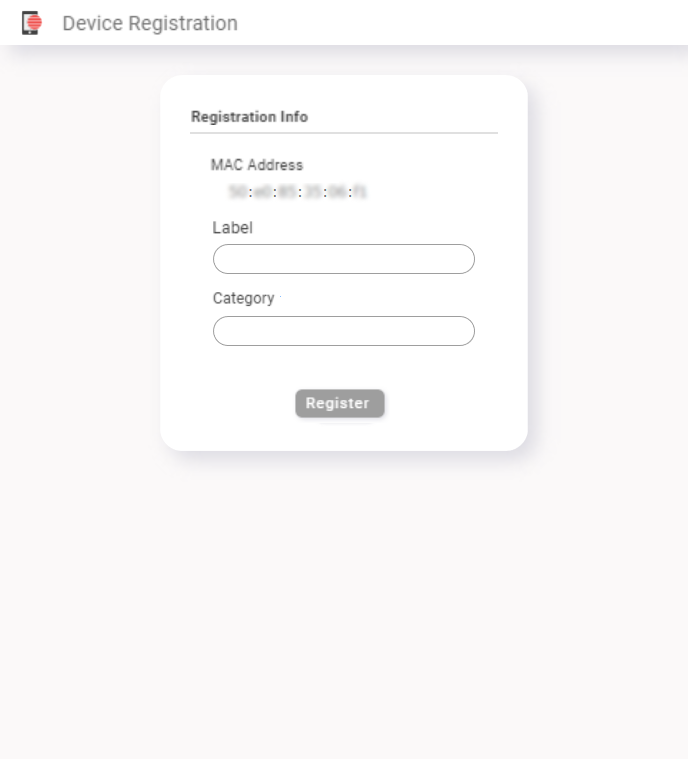
◼ Header
| Item Name | Description |
|---|---|
| Icon | The icon of the Device Registration page set by the administrator will be displayed. |
| Page Title | The title of the Device Registration page set by the administrator will be displayed. |
◼ Registration
| Item Name | Description |
|---|---|
| MAC Address | Displays the MAC Address of the device. |
| Label | Enter information to identify the user of the device with the corresponding MAC address (e.g., user's name, identification number, etc.) according to the items set by the administrator. |
| Category | Enter additional information (e.g. group name, device manufacturer, etc.) according to the items set by the administrator. There may be multiple items or no items. |
| "Register" button | Register the information you have entered along with the MAC address. When the registration is completed successfully, the registration completion screen will be displayed. |
Registration Completion
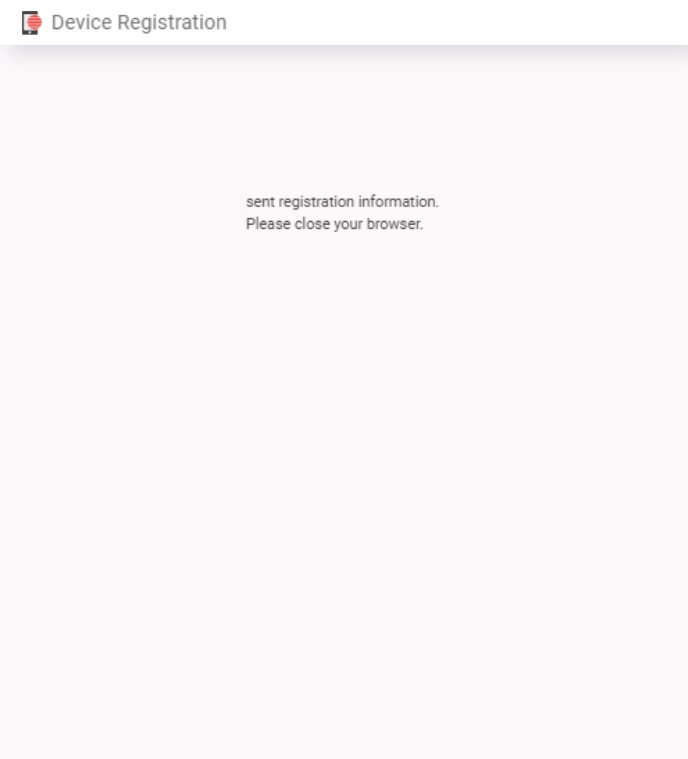
When the registration is completed successfully, this screen will be displayed.
Close the page in your web browser by following the on-screen instructions.
After the registration, the administrator will verify the information and allow the connection, then you can use the network for normal communication.
10 Nov 2025 11:46