Utility Settings
Displays the registration status of utilities that extend the functionality of the AWC Plug-in.
The following utility is currently supported by the AWC Plug-in.
- AWC-SDF (AWC-Sky Defender)
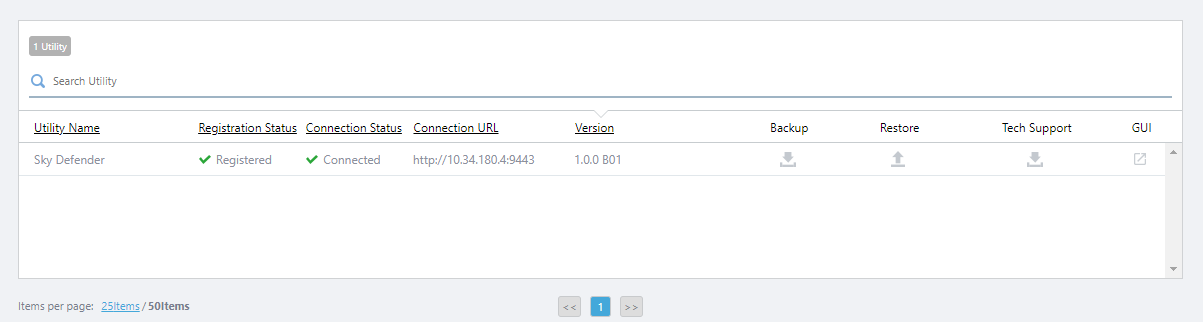
| Item Name | Description |
|---|---|
| X Utility | Displays the number of utilities linked to the AWC Plug-in. |
| Search Utility | Lets you filter the list of APs. The Search field lets you enter a partial string to match. The screen displays entries with that string in one of the following fields: "Utility Name", "Connection URL" or "Version". To remove the filter, delete the string from the Search field and press Enter. NoteThe search is case-sensitive. |
| Utility Name | Shows the name of the utility linked. |
| Registration Status | Displays the registration status of the utility to the AWC Plug-in, "Registered" or "Unregistered". |
| Connection Status | Displays the connection status of the utility to the AWC Plug-in, "Connected" or "Unconnected". |
| Connection URL | Displays the URL of where you can access the utility. |
| Version | Shows the version of the utility. |
| Backup | Lets you download a backup file of the utility's stored data. |
| Restore | You can upload a backup file of the utility and restore the data. |
| Tech Support | Lets you download technical support information for the utility. |
| GUI | Displays the screen of the utility on the AWC plug-in. |
10 Nov 2025 11:46