Network
Network Details
You can open the "Network Details" page by clicking "Network" in the node attributes section on the Device Tree View page."Network Details" page shows its attributes and a event list.
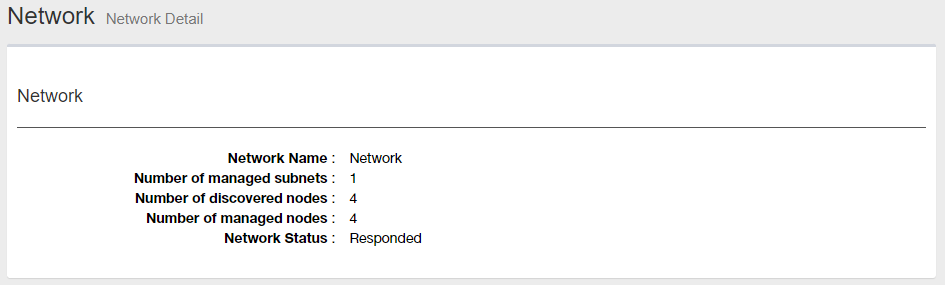
Node Attributes
| Item | Content |
|---|---|
| Name | "Network" |
| Monitored Subnets | Shows the number of monitored subnets in the network. |
| Detected Devices | Shows the number of devices in the network. |
| Monitored Devices |
Shows the number of detected devices which are monitored.NoteThe maximum number of devices SNMP Plug-in can monitor is 2000. |
| Status | Shows the status of the network. |
Event List
You can see a list of event logs on "Event Log List" page.| Item Name | Description |
|---|---|
| Event Date/Time | Shows the date/time of the event |
| Source Name | Shows the event source name such as node name where the event occurred. |
| Model Name | Shows the model name of the event source (when the source is a device). |
| Event Name | Shows a type of the event. |
| Message | Shows a descriptive message for the event. |
| Details | Moves to Event Log Details page for the event. |
| Page Navigation |
Lets you view a specific page of the list.
|
28 Nov 2022 12:59